14-Alexandrite
June 1, 2018
Solved

Symbolic equation in solve block

  • June 1, 2018
  • 2 replies
  • 1858 views

Hi

I have a problem, i don't find why ?

(equations for intersection point of 3 planes)

Probably syntax error ???
equation_plane.JPG


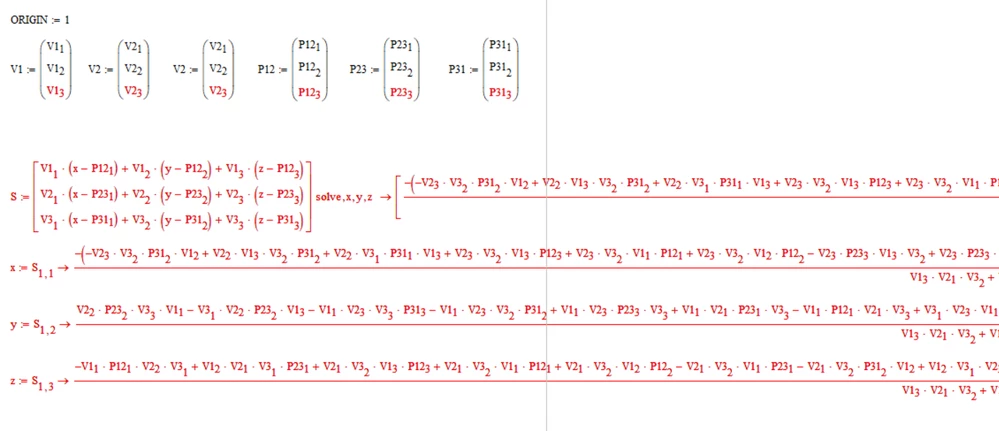
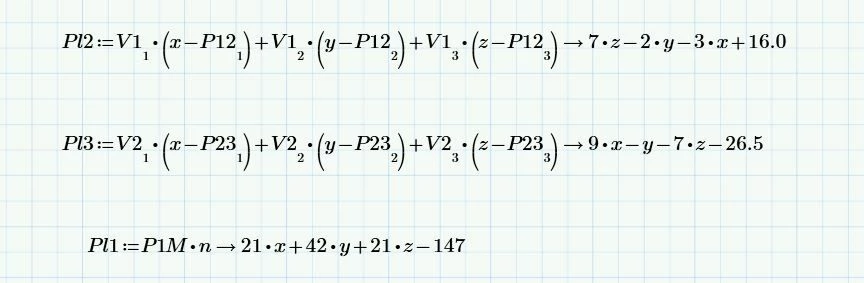
in first solve block, i have copy / paste equastion of symbolic evaluation for plane equation
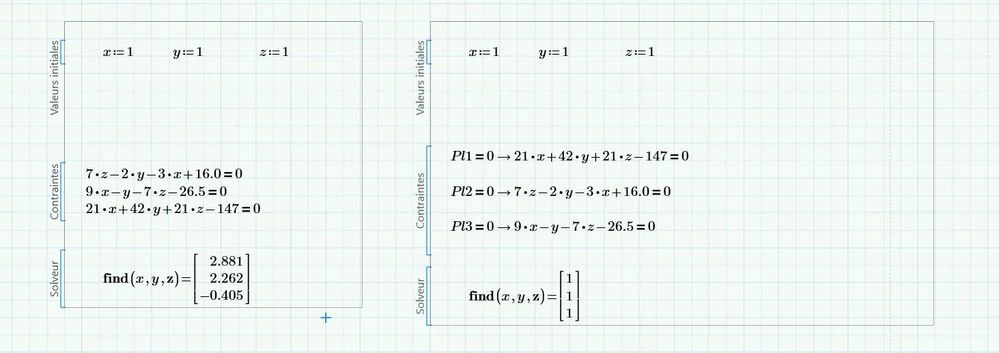
Plane.JPG

Best answer by LucMeekes

Please attach your worksheet, rather than a picture. (You don't show what P1M or n is...)

If you want to work symbolically, then work symbolically. Something like:

LM_20180601_SymbolicSolve.png

Success!
Luc

2 replies

LucMeekes23-Emerald IVAnswer
23-Emerald IV
June 1, 2018

Please attach your worksheet, rather than a picture. (You don't show what P1M or n is...)

If you want to work symbolically, then work symbolically. Something like:

LM_20180601_SymbolicSolve.png

Success!
Luc

XDN14-AlexandriteAuthor
14-Alexandrite
June 1, 2018

It's great !

Thanks for all

sorry i'm a newbie Smiley Wink

Solve.JPG

25-Diamond I
June 1, 2018

What you try does not work in Prime (and also not in real Mathcad, at least not in MC15).

B1.PNG

But there sure are a couple of workarounds which also avoid to use copy and paste.

Symbolic "solve" comes to mind:

B2.PNG

or you define your "equations" as functions dependent on the variables you'd like to solve for to make the numeric processor happy and use the solve block without symbolics:

B3.PNG