
1-Visitor
Solved

Transfer our Mathcad license to another computer in the office

We are trying to transfer our Mathcad license to another computer in the office.

We have succeeded to get a CPU ID as appears in the attaached snapshot.
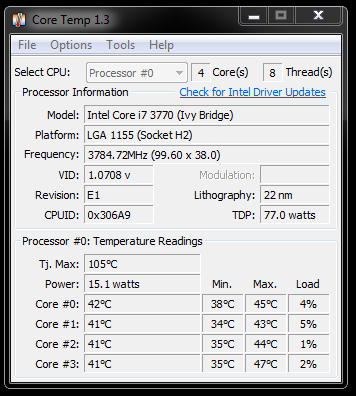
Please assist us on how should we complete the licesnse transfer procedure from this point.

Thanks in advance,

Eyal Cohen,

eviathan Engineers.

VladimirNAnswer
24-Ruby IV

Choose any from proposed list.

7 replies

24-Ruby III

Hi,

please answer following questions.

How did you buy Mathcad ?

What Mathcad version did you buy ?

What license did you buy - locked or floating ?

MH

Translate
24-Ruby IV

To transfer a license file use "Reconfigure Software Licenses" option on PTC's site, here: http://www.ptc.com/appserver/lm/rsl/reconfig.jsp.When creating a request for a new license, you must specify the new MAC-address (from a new PC): MAC adress Reader - unique computer identification

Translate
1-Visitor

Thanks for the advice.

We have succeeded to enter the MAC address of the "Source", and now we're asked to create a new server.

But in addition to the new MAC address (which we have extracted already),

there are Manufacturer and Platform fiels to fill in, but "Intel" does not appear there.

What should we fill in those fields?

Translate
24-Ruby III

Hi,

you can set any value in Manufacturer and Platform fields. It is information, only.

MH

Translate
19-Tanzanite

You don't need a CPU ID, you need the MAC ID of the primary network adapter. The do as Vladimir says.

Translate
1-Visitor

Martin, Vladimir and Richard: Thank you all for your help!

Case solved!

Translate