

21-Topaz II
June 30, 2016
Question

try to close a blank worksheet...

  • June 30, 2016
  • 3 replies
  • 1152 views

Why, working with mathcad Prime, when I try to close a blank  worksheet, clicking on the x in the upper right corner of the same page, the page does not close, instead it is incremented a negative index, each time I click on the x?

Thank you

FM
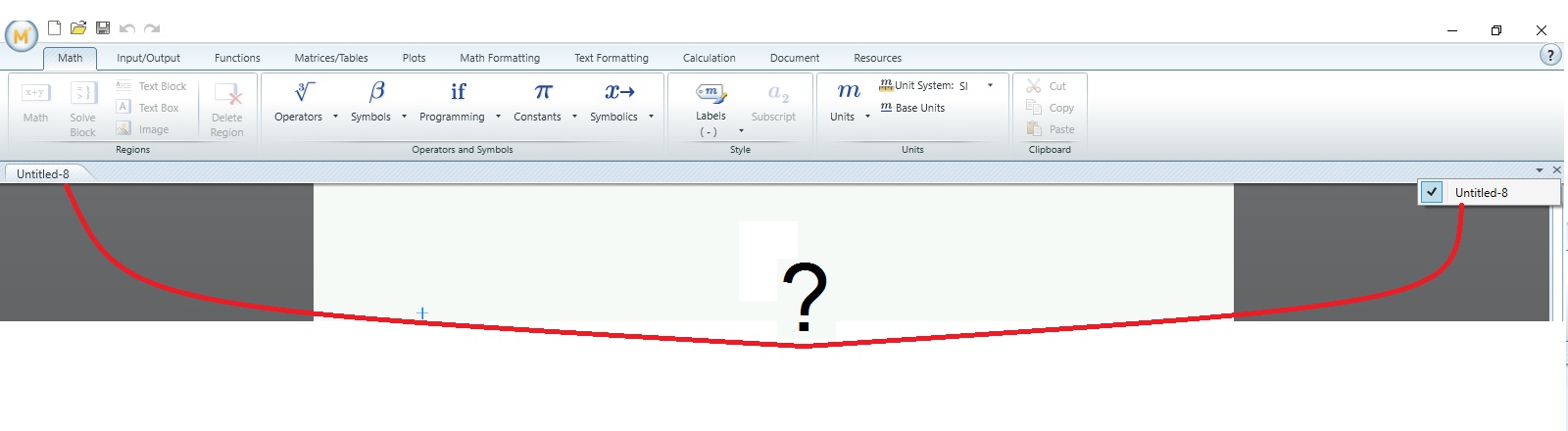
indice negativo.jpg

3 replies

23-Emerald IV
June 30, 2016

That must be a feature of the 'Multiple Document Interface', possibly badly implemented.

When you click on that X, you close the currently open document, but because you did not close the application it (the application) remains open.

In e.g. MsWord, you can close the active document, and after closing the last active document, you have an interface that allows you to do a few things: opening an existing document or creating a new one.

Prime apparently isn't prepared to have no active document, so it creates a new one for you automatically, and assigns it a sequential number, preceded by a dash (= minus sign).

Luc

23-Emerald I
June 30, 2016

Apparently Mathcad must have at least one sheet open, so if you close sheet Untitled-1, it then creates Untitled-2.  (This also works if you close from the menu.)  If you have another sheet open then Mathcad will happily close your untitled sheet.

24-Ruby IV
June 30, 2016

But better as in Word or Excel!