Best answer by LucMeekes

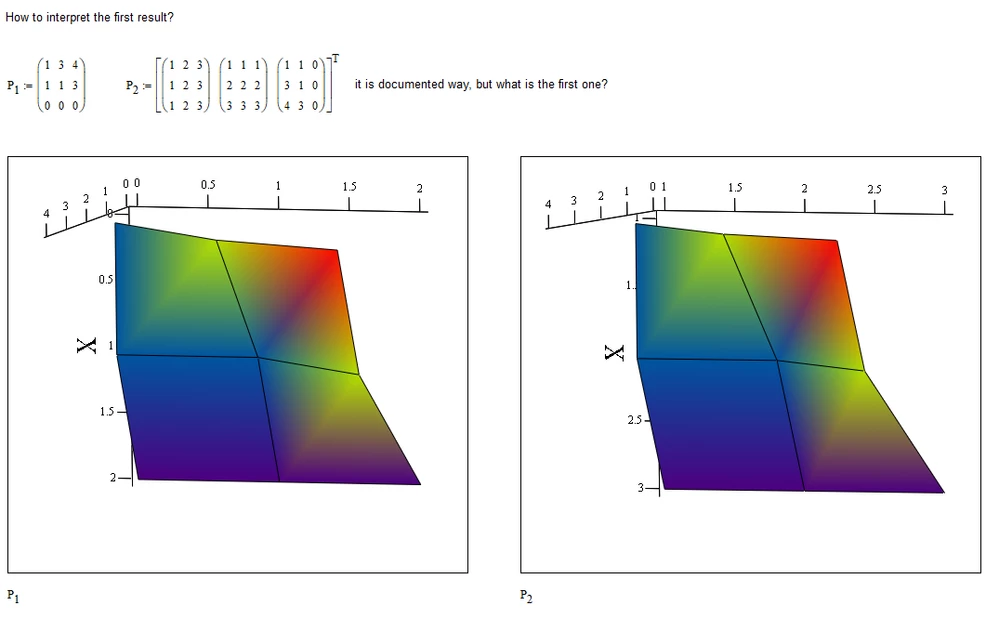
Don't worry, it is documented:

"Insert - Graph - Surface Plot

Inserts the 3D plot operator into your worksheet. Create a surface plot of the elements of a matrix by entering the matrix in the placeholder. The rows and columns of the matrix correspond to the x and y axes. The values of the matrix elements themselves represent the heights above the xy plane.

If you want to specify the appearance of the plot (such as its color and lines) as it is inserted, choose Insert - Graph - 3D Plot Wizard instead.

"

LucMeekes_1-1581790069774.png

LucMeekes_0-1581790060187.png


Success!
Luc

1 reply

LucMeekes23-Emerald IVAnswer
23-Emerald IV
February 15, 2020

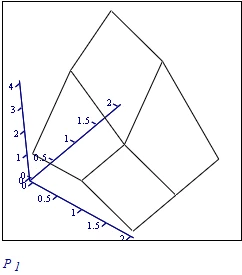
Don't worry, it is documented:

"Insert - Graph - Surface Plot

Inserts the 3D plot operator into your worksheet. Create a surface plot of the elements of a matrix by entering the matrix in the placeholder. The rows and columns of the matrix correspond to the x and y axes. The values of the matrix elements themselves represent the heights above the xy plane.

If you want to specify the appearance of the plot (such as its color and lines) as it is inserted, choose Insert - Graph - 3D Plot Wizard instead.

"
LucMeekes_1-1581790069774.png

LucMeekes_0-1581790060187.png


Success!
Luc

ifomenko1-VisitorAuthor
1-Visitor
February 15, 2020

Many thanks, Luc, I remember this, I`ve never used this opportunity.