
4-Participant
October 29, 2025
Solved

Using Mathcad Help

  • October 29, 2025
  • 1 reply
  • 255 views

When I find a new function and want to know what it does and what its arguments are, I go Resources > Help and enter the function name. Let's say I enter "augment". When I click search, I get dozens of hits and it takes me a while to find the one that actually explains how to use the function. Is there a more straightforward way to get right to the usage of the function? I'm using Prime 11.
Best answer by StuartBruff

Type the function name in a worksheet and press F1.


Or, ...


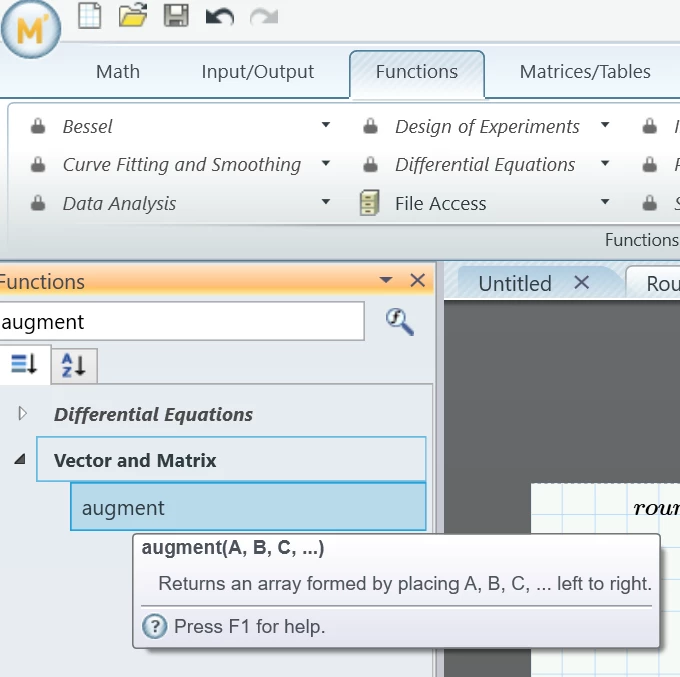
Go to the Functions tab and click on the "All Functions" button.  Then type in the name of the function you want and hover the cursor over it to see a brief summary of its use.


2025 10 29 B.png


Stuart

1 reply

23-Emerald V
October 29, 2025

Type the function name in a worksheet and press F1.


Or, ...


Go to the Functions tab and click on the "All Functions" button.  Then type in the name of the function you want and hover the cursor over it to see a brief summary of its use.


2025 10 29 B.png


Stuart