
1-Visitor
December 9, 2015
Question

(yet another) file conversion fail

  • December 9, 2015
  • 14 replies
  • 6191 views

hi all,

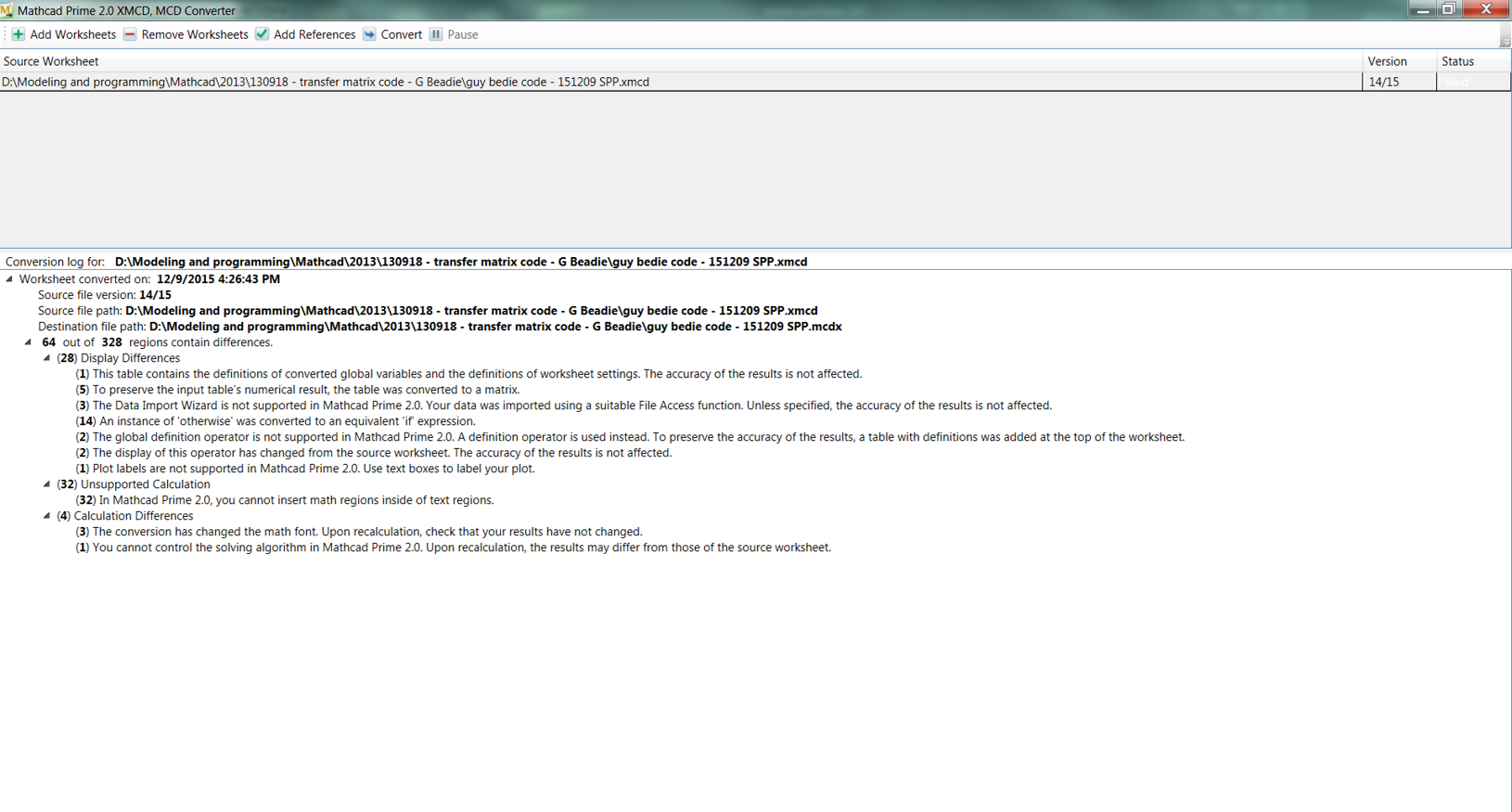
i have licensed versions of mathcad 15 (M010) and prime 2.0.  i've converted many files from 15 to prime format but a few fail.  a "failed" message appears in the status and no converted file is created.  i know that some functionality might not convert, but i thought they would be rendered as images and i would be able to fix what didn't convert properly.   however, no file is created.  i'll try to paste an image of the failed conversion window and the file itself (quite large).failed conversion log.png
14 replies

25-Diamond I
December 9, 2015

I just gave it a try and converted your file. I got similar warnings but a Prime file was created which could be opened in Prime.

Of course as so often it would not work OK. All data tables are inserted just as useless picture.

As I was using Prime 3.0 I don't attach the file as you would not be able to read it with P2 and I can't save it in P2 format.

I don't know why you did not get any file at all. After all the screenshot you attached did not report any severe errors which could make the conversion fail at all.

I vaguely remember that Prime's converter had some problems with files containing collapsed regions but I am not sure about that and I guess that there was an appropriate error message indicating that you shoudl open the regions.

Regards Werner

12-Amethyst
December 10, 2015

Seems to work in P2 as well.

The ReadCpuSpeed &ResetCpuTicks function calls will probably need P3 to work, but other than the spacing in the prime document, there is nothing to suggest that it should fail.

regards

Andy

19-Tanzanite
December 10, 2015

The ReadCpuSpeed &ResetCpuTicks function calls will probably need P3 to work

Those functions require a user DLL written by Robert Adair. They will not work in Prime unless Robert rewrites the DLL for Prime, and the chances of that happening are infinitesimally small.

1-Visitor
December 9, 2015

Shot in the dark: do you have full permissions in the destination folder?  You say you've converted several other files, so I'm guessing this is not the issue.

bsimpkins1-VisitorAuthor
1-Visitor
December 10, 2015

i think so.  i don't ahve admin rights but i so have write permissions on the folders with the original and converted files.

24-Ruby IV
December 10, 2015

Your files to convert normally in Mathcad Prime 3.1 without an "failed" error (core of Mathcad 15 M040 is used as converter). But after the conversion of many areas of the document need to be improved.

Pic_1.png

bsimpkins1-VisitorAuthor
1-Visitor
December 11, 2015

UPDATE:

thanks to A Westerman, i have a converted version i can open in prime 2.0...however, when i open it then try to rename and save it, i get an error

"the file type is not supported.  Log file is located at c:\programdata\... [etc, etc]"

i can't look at the log file because this path does not exist.

1-Visitor
December 11, 2015

C:\ProgramData is a hidden folder.  Copy/paste the file location into the address bar.

bsimpkins1-VisitorAuthor
1-Visitor
December 11, 2015

do'oh!  thanks.

here's the log file.