

Question
How to Activate Mathcad Prime 6.0 Using product Code?
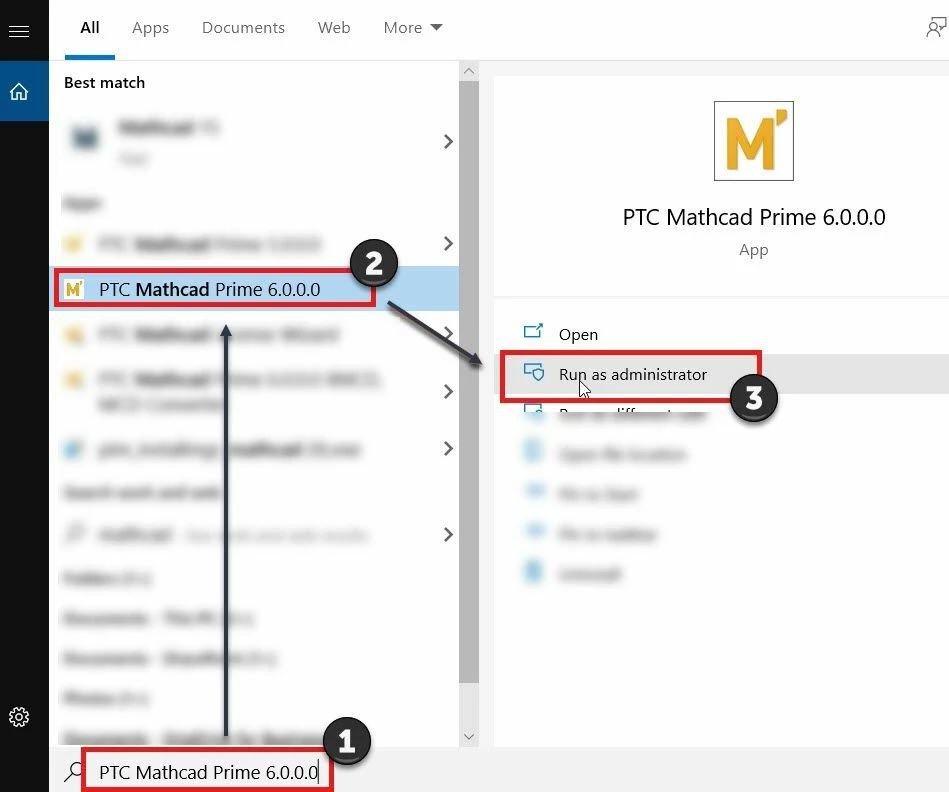
1. Run LicenseWizard.exe from default location C:\Program Files\PTC\Mathcad Prime 6.0.0.0 or Launch using Windows #Search and #Run as administrator
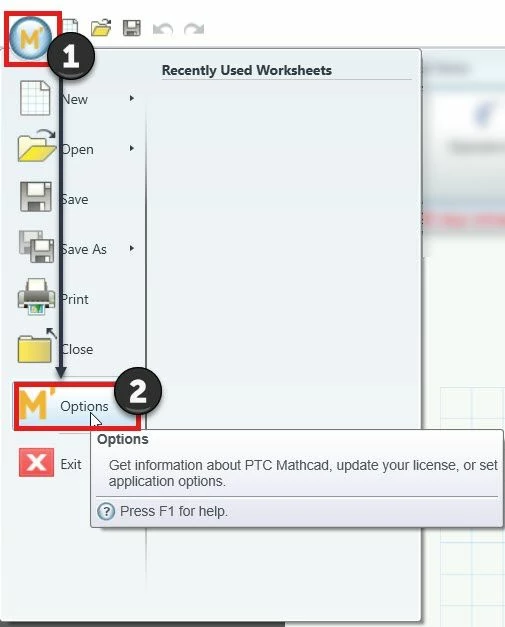
2. Select Mathcad Icon M' and then select #M' Options
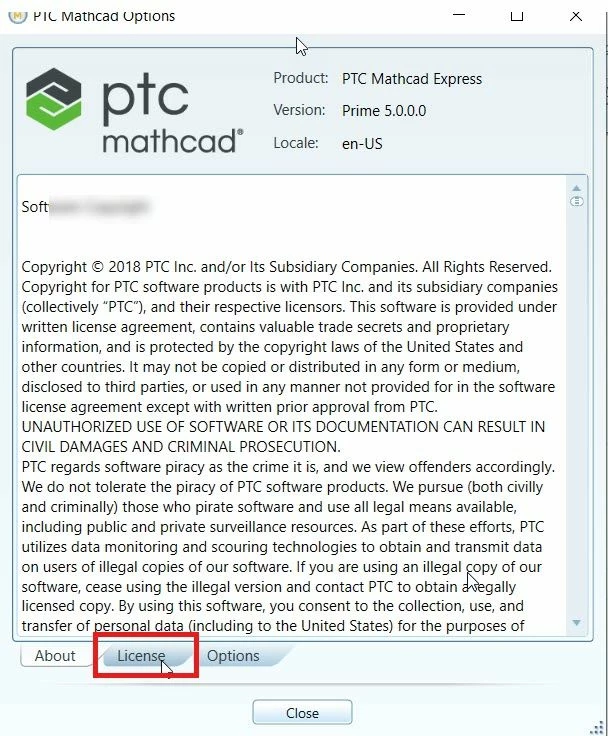
Select #License
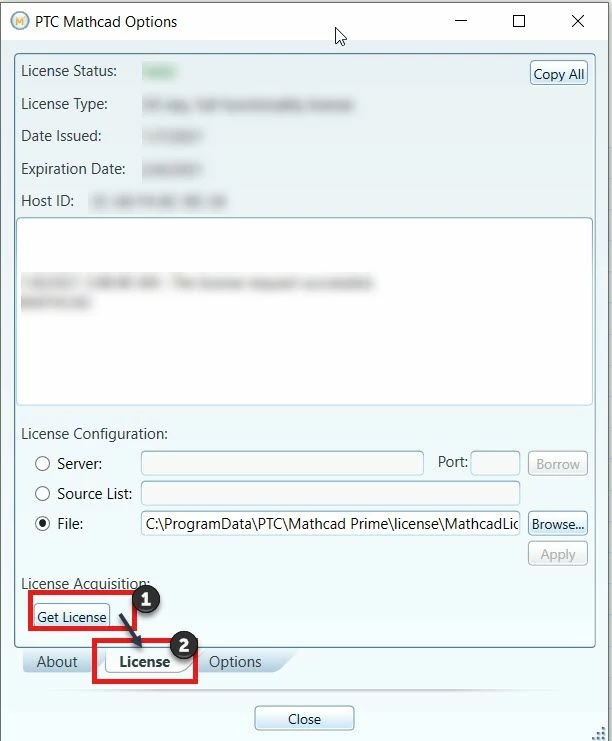
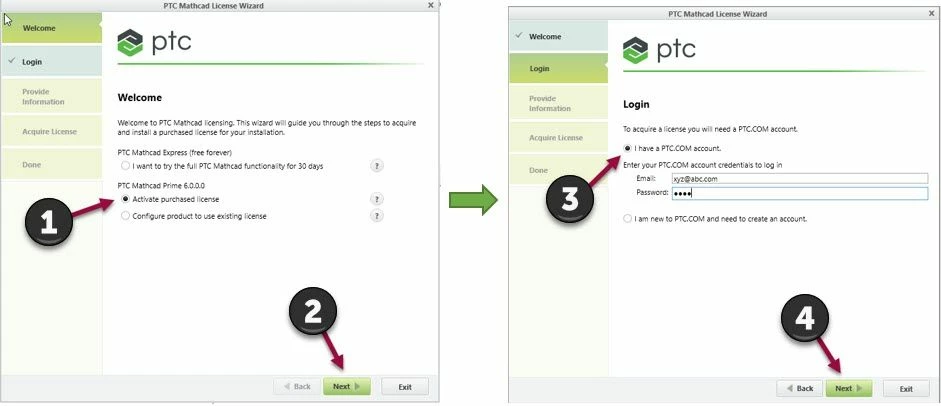
3. Follow the Steps as highlighted in numerically ascending order and select #Next (4)
4. Enter the Product Code, #Next on Acquire License Page check the product for which the license needs to be activated and select #Acquire License (4)
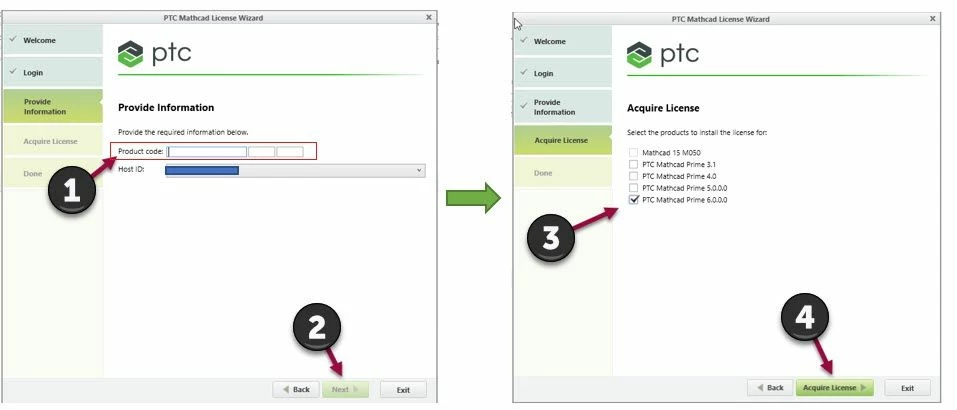
5. After selecting #Acquire license, a license will be generated for the provided product code. User can double click on the Mathcad Prime icon and launch the application successfully.