
4-Participant
December 31, 2024
Solved

Text Box - Text Formatting - Numbered Lists

  • December 31, 2024
  • 1 reply
  • 770 views

I am using Mathcad Prime Release 10.0 and Datecode10.0.0.0

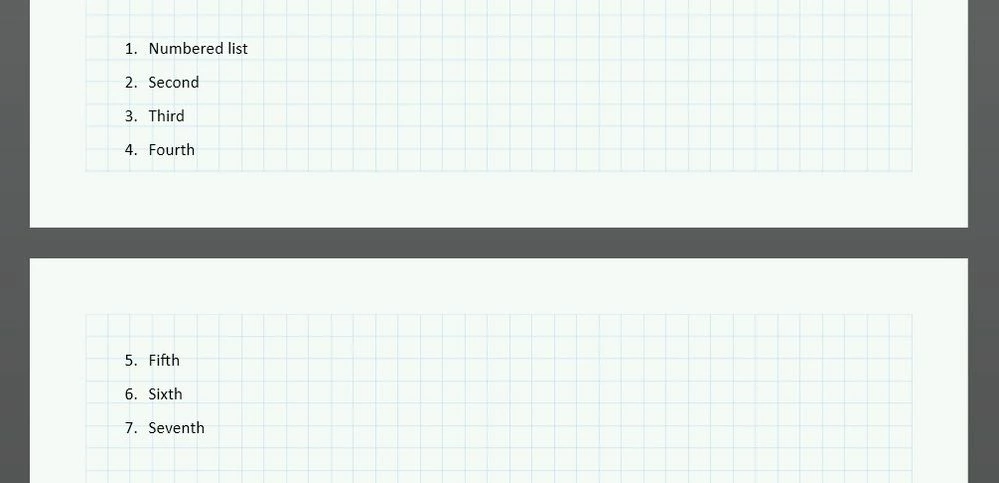
I am working on a design sheet and as part of the sheet I am including a design methodology write-up. I am using a numbered list and the write-up is too large to fit on one page. I split the write-up over 2 pages but the numbered list restarted at 1. on the second page of the list. Is it possible to set a number value for the numbered list on the second page that continues the list from the first page?

Here are the errors that I faced
None
Best answer by terryhendicott

Use Microsoft Word or other word processing software and with a bit of experimentation and cut and paste you will get what is needed.

You also get better sub-numbering like 1,2,6 etc.

Capture.JPG

1 reply

21-Topaz II
January 2, 2025

Use Microsoft Word or other word processing software and with a bit of experimentation and cut and paste you will get what is needed.

You also get better sub-numbering like 1,2,6 etc.

Capture.JPG

4-Participant
January 2, 2025

Thank you.  I copied the text from the second page of the list into Microsoft Word and changed the number value in the list.  When I copied it back into Mathcad Prime it stayed with the numbering.

Happy New Year!