12-Amethyst
March 19, 2018
Solved

Anomaly status not show in MFG 8.2

  • March 19, 2018
  • 1 reply
  • 2698 views

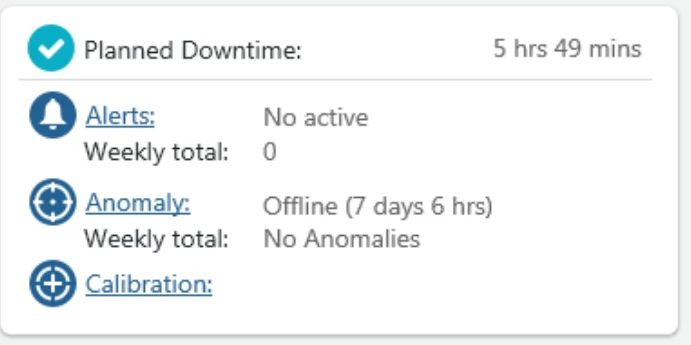
What should i do  if i would like to show  anomaly status in asset advisor(MFG version 8.2)


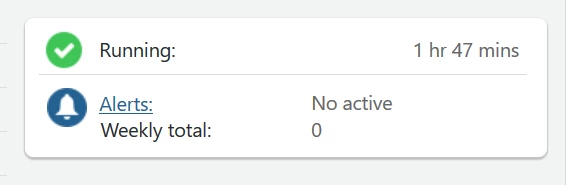
this is pic MFG 8.1
mfg1.png

this is pic MFG 8.2

mfg2.png

Please suggest me  Thank you

Best answer by abhkumar_274615

Greetings Nuttaphon,


Anomaly information, such as status, duration, and calibration, has been removed from the Asset Advisor (MFG version 8.2). This information can be added to your system as a customization.

The anomaly detection functionality can be enabled and configured through the ThingWorx platform.

For more information, see “Anomaly Detection” in the ThingWorx help center, available at the following URL:

http://support.ptc.com/help/thingworx_hc/thingworx_8_hc/index.html#page/ThingWorx%2FHelp%2FComposer%2FAnomalyDetection%2FAnomalyDetection.html%23


 Regards,

Abhishek


1 reply

5-Regular Member
March 19, 2018

Greetings Nuttaphon,


Anomaly information, such as status, duration, and calibration, has been removed from the Asset Advisor (MFG version 8.2). This information can be added to your system as a customization.

The anomaly detection functionality can be enabled and configured through the ThingWorx platform.

For more information, see “Anomaly Detection” in the ThingWorx help center, available at the following URL:

http://support.ptc.com/help/thingworx_hc/thingworx_8_hc/index.html#page/ThingWorx%2FHelp%2FComposer%2FAnomalyDetection%2FAnomalyDetection.html%23


 Regards,

Abhishek


5-Regular Member
March 19, 2018

Greetings @Nuttapol
   
Following up with you on the original question posted here, if Abhishek's response answered this, please mark the appropriate post with "Accept as Solution" for the benefit of others who may have the same question.
 
Or, if you are still unresolved on this issue, let us know and we can continue troubleshooting this with you.


Best regards,
Steven M