10-Marble
July 19, 2023
Solved

Scheduling in CWC Thingworx Apps

  • July 19, 2023
  • 1 reply
  • 1959 views

1-> Can anyone explain me how to generate Work Orders? (I have succesfully genrated the production routes)
an example will be helpful 
2-> What are the difference between Job Order and Work Order?
RG_10417299_0-1689774440464.png

RG_10417299_1-1689774456483.png


Best answer by mstarnaud

Hi RG


I'll answer #2 first, Job Order vs Work Order : they are the same thing. In the database we use the word "Joborder".


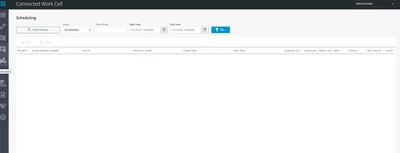
For question #1, creating Job Orders, there's a few methods in CWC : the endpoint, or using a 3rd party extension shown in this other post. Sadly, as of now, the Scheduling screen doesn't have a Create/Add button, we can only edit those that already exist.

1 reply

mstarnaud16-PearlAnswer
16-Pearl
July 24, 2023

Hi RG


I'll answer #2 first, Job Order vs Work Order : they are the same thing. In the database we use the word "Joborder".


For question #1, creating Job Orders, there's a few methods in CWC : the endpoint, or using a 3rd party extension shown in this other post. Sadly, as of now, the Scheduling screen doesn't have a Create/Add button, we can only edit those that already exist.

10-Marble
July 26, 2023

Hi,
I used that endpoint service and I got success code in it.
But when I look for it in Scheduling(CWC UI) or in DB (in jobOrder table) I couldn't found it.

Somehow in DB (processRunning Table ) I can find some JobOrder data that I have pushed .

Can you explain how to fetch them in JobOrder Table in DB or in Scheduling(UI in CWC)?


16-Pearl
July 26, 2023

Hi RG


This process is automatic, you should not have to do any database change for this. But to answer your question, the records initially get imported in ProcessRunning which is a todo list, a Timer (PTC.FSU.CORE.Process.ProcessQueue_TM) should be running every minute to process them, and then they should transfer to the ProcessCompleted table. Can you make sure that the Timer is active and also that its subscriptions (there should be 4) are all enabled? If I'm not mistaken, records stay in ProcessRunning only if the Timer & subscriptions aren't running, if there's an error it retries moments later and then goes to ProcessCompleted.


Once the import is finished processing, it should reach the JobOrder and JobOrder_ap tables (both tables share the same Uid column/numbers). They should also be visible in the Scheduling screen if the filters allow it (mostly the start & end times).