Hi Marcus
Table MenuContext (main menu) :
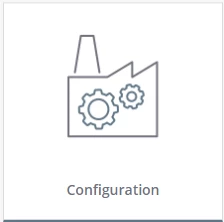
- DisplaynameToken : This is the short name under the icon, in this example "Configuration".
- DescriptionToken : I'll be honest, I'm not sure where this is used. It's meant to be a more complete description, but I don't know how to get to a screen that uses it.
- ContextIcon : I don't know if there's a specific size. They will be resized to fit into the menu. In the example here, the original image is 408px wide and 284px tall, but in my screen the menu is much smaller (the icon became around 130px wide and 120px tall). And there's other default images of other sizes. This image is only the part that will appear in the middle, in this example the factory with the gears, it doesn't have text or the blue line at the bottom.
Table Menu (child menu, link to Mashup) :
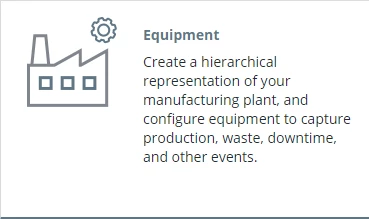

- DisplayNameToken : The short name at the top, in this example "Equipment". Also used in the black panel on the left for sub-sub menu items.
- ShortDescriptionToken : The long description written under the name, in this example "Create a hierarchical ...".
- DescriptionToken : I'll be honest, I'm not sure where this is used. It's meant to be a more complete description, but I don't know how to get to a screen that uses it. In the default menu, almost all items use the same token as the short description.
- MenuIcon : The icon that appears in the white menu, in the top-left. Again, this should be resized to fit the menu & screen.
- AlternateIcon : The small icon in the black panel on the left. Note that those are .PNG images and the default ones are white lines on a transparent background. The ones I looked at were all 120px wide and 120px tall, but they appear much smaller in my menu so they are getting resized.

