10-Marble
September 22, 2020
Question

Windows look and feel for ModelManager 20.2 upwards

  • September 22, 2020
  • 1 reply
  • 1676 views

Hello,

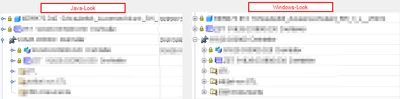
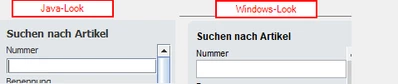
until ModelManager 20.1 we had an option to switch to windows-like look and feel.

In run.bat:

set JVM_ARGS=%JVM_ARGS% -Dswing.defaultlaf=com.osm.ui.laf.ptc.PtcLaf

With 20.2 this switch no longer works.
Structure Tree MM 20-3.png


Input fields MM 20-3.png

Does anyone know if there is a new switch to get what I want?


Thanks!

1 reply

8-Gravel
September 23, 2020

As far as I know and as I experimented with MM 20.3:

- there are just 2 LAF delivered by PTC:

  -Dswing.defaultlaf=com.osm.ui.laf.xplookandfeel.XPLookAndFeel: this one looks like the former one, but it does not implement the quick access tool bar and the quick search. The same LAF didn't in 20.1.

 -Dswing.defaultlaf=com.osm.ui.laf.ptc.PtcLaf: the default one. It implements the quick access tool bar and the quick search, but does not look like the former one for some details.

Alternatively you may use some other LAF delivered in your java SDK

-Dswing.defaultlaf=javax.swing.plaf.metal.MetalLookAndFeel
-Dswing.defaultlaf=com.sun.java.swing.plaf.motif.MotifLookAndFeel
-Dswing.defaultlaf=com.sun.java.swing.plaf.windows.WindowsLookAndFeel
-Dswing.defaultlaf=com.sun.java.swing.plaf.windows.WindowsClassicLookAndFeel

But none implements the Model Manager quick access tool bar and the quick search.


Why does PtcLaf changed the cosmetics with MM 20.2?