10-Marble
November 2, 2022
Solved

Costumize construction lines

  • November 2, 2022
  • 2 replies
  • 1367 views

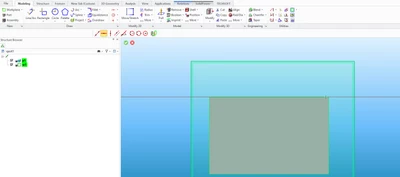
When i select the infinite horizontal construction line from the ribbon, the construction line automatically snaps on the part edges as you can see in the 1st pic bellow.

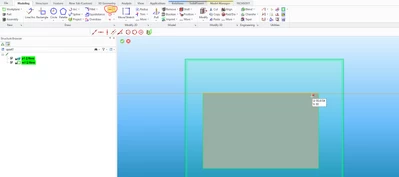
But when i add a shortcut for the construction lines, and select the same command, the line doesn't snaps anymore (2nd pic bellow).

I don't know if someone can help me, I'm new at this software .
 

EI_10453429_0-1667403902843.png

EI_10453429_1-1667404221797.png


Thanks.


Best answer by highway45

You have to take the shortcut from the list "2D-Copilot" and not from "Construction Lines".

Unfortunately the symbols are the same.

2 replies

highway4513-AquamarineAnswer
13-Aquamarine
November 2, 2022

You have to take the shortcut from the list "2D-Copilot" and not from "Construction Lines".

Unfortunately the symbols are the same.

16-Pearl
November 2, 2022

As a workaround, on the catch bar, select "Part" and "Default 2D"


KotomEng_0-1667423961099.png