14-Alexandrite
February 3, 2021
Solved

How do I show the real connectors?

  • February 3, 2021
  • 1 reply
  • 2026 views

Excuse me, sir


When I load the PCB, the connectors are like the cubes.


How do I show the real connectors?


Please help check the following pictures.
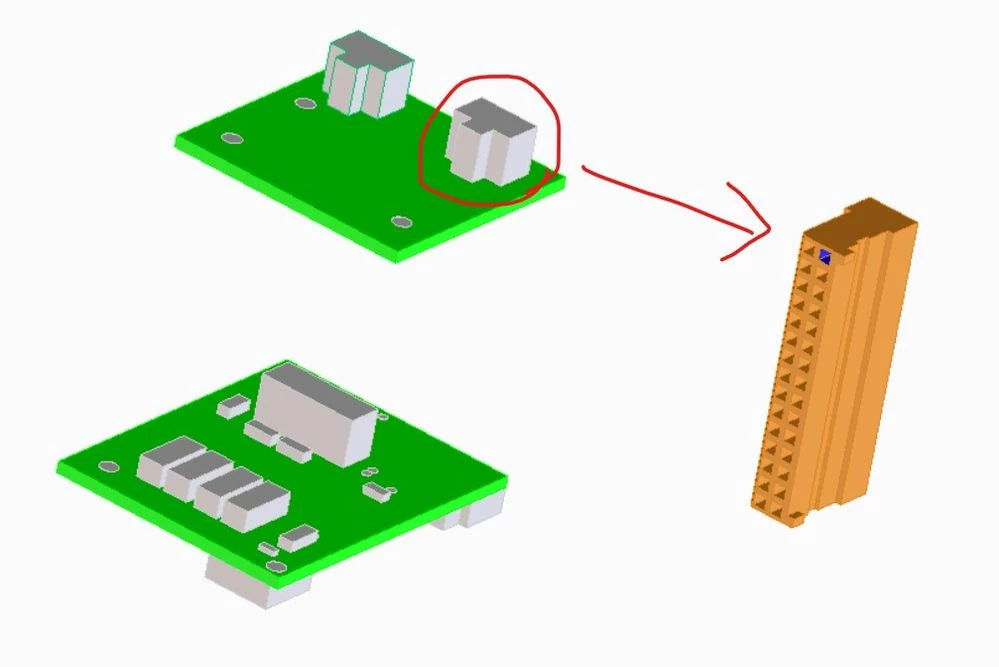
 

螢幕擷取畫面 2021-02-03 151546.jpg


Respectfully

    Best answer by PedroMªArnaiz

    To do so, you first need to create a library with your desired geometry for each PCB part, and indicate the route for that library,.

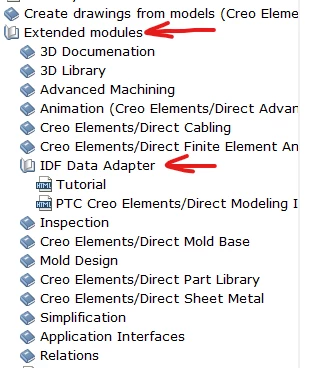
    You should have a look to the help documentation of the PCB module:


    PedroMªArnaiz_0-1618489094071.png

    You can also sustitute each part by your desired model when traslating the PCB or individually.


    Pedro


    1 reply

    7-Bedrock
    April 15, 2021

    To do so, you first need to create a library with your desired geometry for each PCB part, and indicate the route for that library,.

    You should have a look to the help documentation of the PCB module:


    PedroMªArnaiz_0-1618489094071.png

    You can also sustitute each part by your desired model when traslating the PCB or individually.


    Pedro


    Haydena14-AlexandriteAuthor
    14-Alexandrite
    September 15, 2021

    Thank you, Pedro


    I'll try it!😊😊😊