


Variable radius blend issue
I am trying to create a variable radius blend where one end goes to a point (radius=0), and the other end meets up with a constant radius blend (with the same radiu). I would have thought that this would be straight-forward, but it hasn't been.This is the result that I want, but it wasn't easy to get it.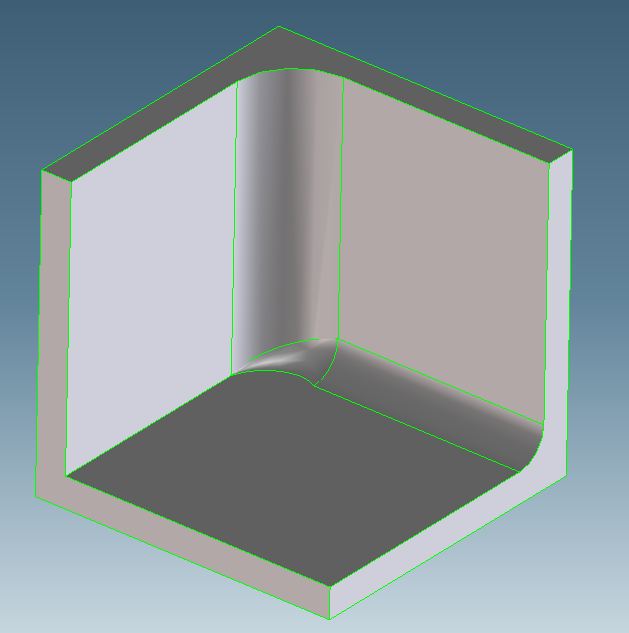
If I create the big constant radius (vertical in the picture) first, then the smaller constant radius blend, the blend command won't do anything if I select the small edge remaining (circled edge in picture below).
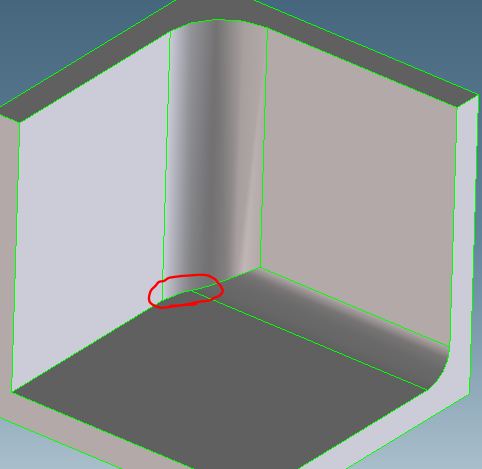
Through a lot of trial-and-error I eventually did get the result I was looking for. The only thing that made it easiest is when I "unrecognized" the large blend. Once I did that, I was able to create the variable radius blend, although I could only get it to work if I started with the variable radius blend and then added the constant radius blend.
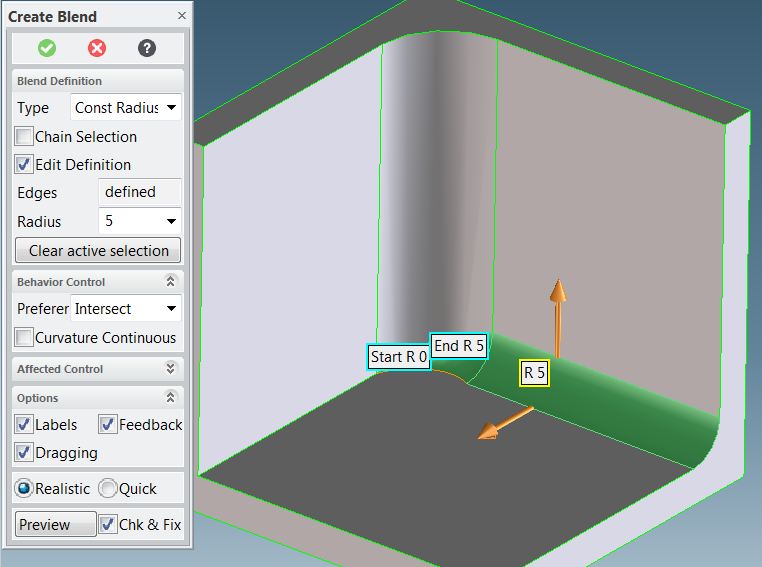
I don't understand why this wasn't easier.
This thread is inactive and closed by the PTC Community Management Team. If you would like to provide a reply and re-open this thread, please notify the moderator and reference the thread. You may also use "Start a topic" button to ask a new question. Please be sure to include what version of the PTC product you are using so another community member knowledgeable about your version may be able to assist.