Question
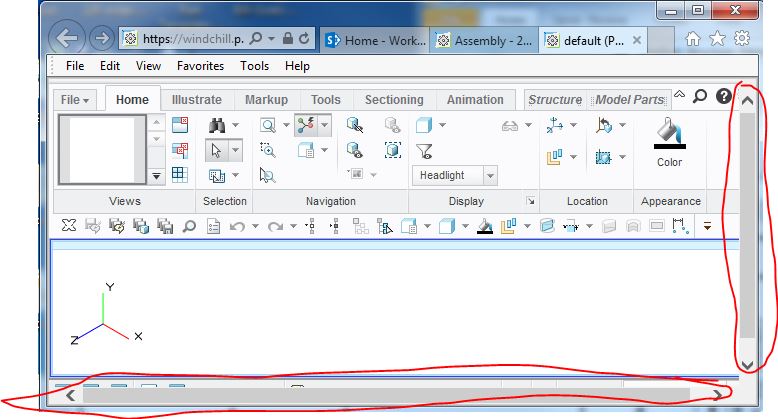
Annoyance - Need help in preventing scroll bars when launching Creo View.
Every time I launch Creo View 3.1 from Windchill 10.2 into an Internet Explorer 11 tab, I get the scrollbars to show up on the right and bottom panes. To remove them, my workaround is to maximize the page and then minimize again. Does anybody know the settings in Internet Explorer or Creo View to prevent this from happening? The bottom scroll bar hides the information that I want to see or select!