

Creo View Adapters recipe issue
Hello,
I'm having trouble with Creo View Adapters proe2pv.rcp settings. When assembly has multiple multibody parts all of them are published using one shape and same is for having multiple parts with flexibility.
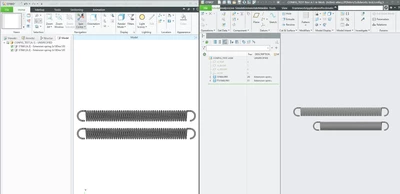
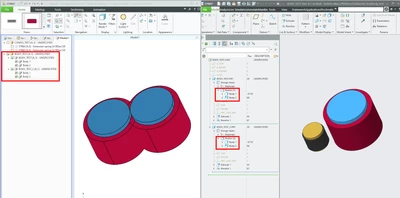
This should be easily fixed by changing conversion mode to full, but I end up with the same result no matter which conversion mode I select. Only way I can verify is when I choose Conversion Mode: Minimum Memory, I can see in log file waring as this function is deprecated.
"proe2pv Warning: Publishing job with deprecated option - Conversion Mode: Minimum Memory. This recipe option will be removed in a future release of Creo View Adapter."
If I run in batch mode from command prompt I can see that output is only one *.ol file for each assembly component. Publish jobs are run from Windchill and worker is on separate server.
We are using Creo 10.0.5.0 and Creo view adapters 11.0.0.0.
Any Ideas why is that happening? Or what I'm doing wrong?
/Girts