

Question
ISODraw Preferences Window Glitch
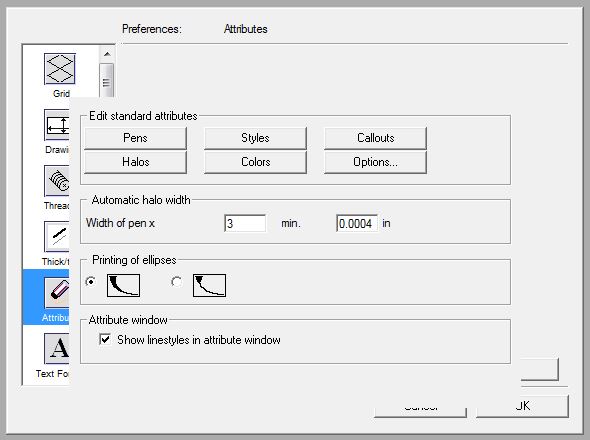
When we open our EDIT > PREFERENCES window we see this glitch. The way the options portion of the window overlaps the scroll bar makes it very hard to modify our settings. If I minimize and move the ISO draw window to less than full screen we can see the down arrow so we can scroll but then that messes with our toolbar placement. Basically it is a pain to deal with. Any solutions?
Thanks,
Mark