Question
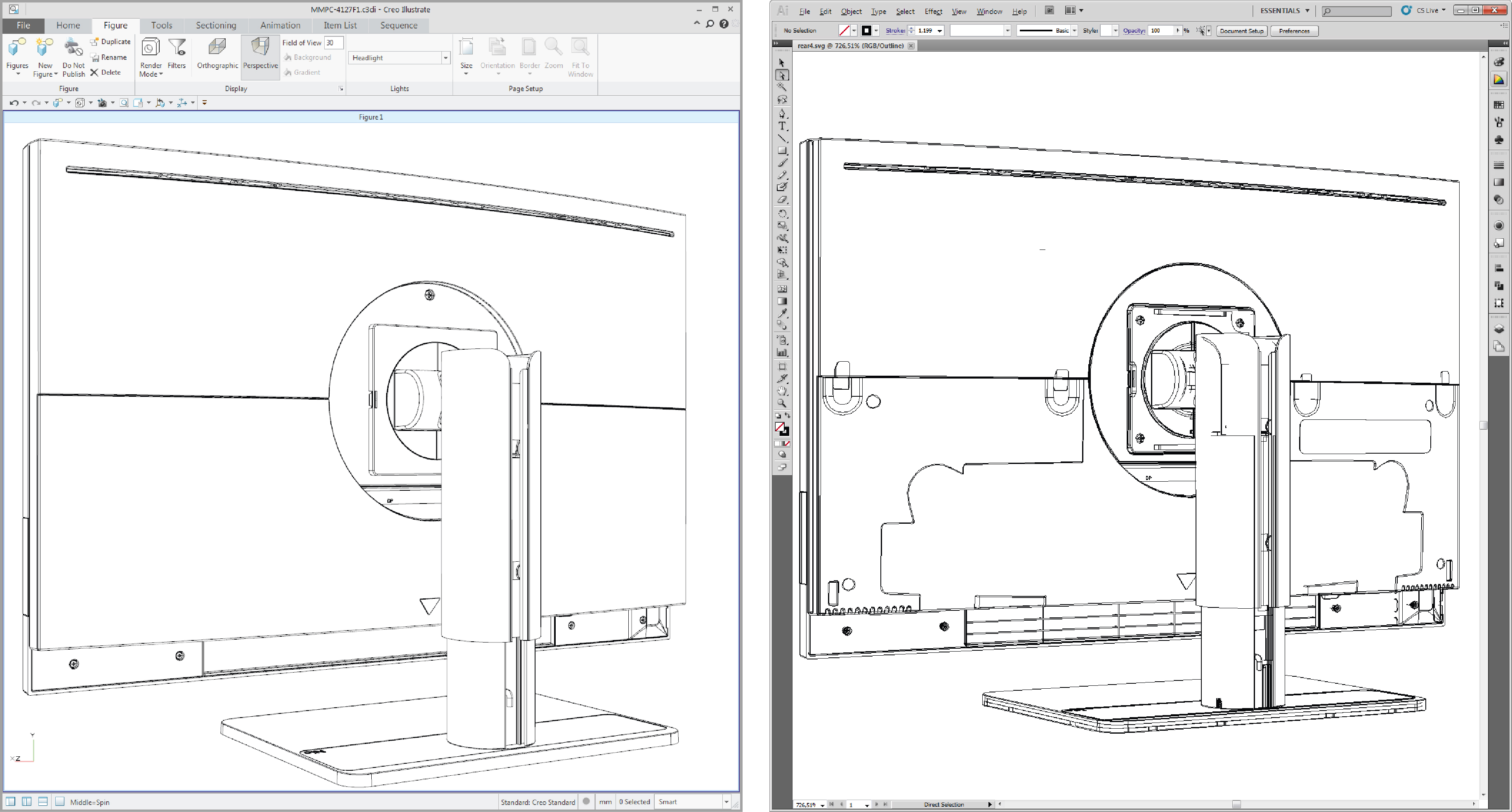
Underlying (invisible) parts become visible when saving as illustration from Creo Illustrate
Hi,
When saving figures as illustration (SVG or CGM) from Creo Illustrate (3.1 and 4.0), I expect that the final SVG export is an identical representation of what is shown in the graphics area of Creo Illustrate. In my case however, certain paths (not all) of underlying parts become visible in the final SVG export while these are not visible in the Creo Illustrate graphics area.
I tried playing around with the different export options (Thick/Thin lines_Surface borders_Enhanced intersections, Segments_Polylines_Beziér paths, ...) but no difference. There are also no phantom parts in my model.
Does anyone have any suggestions please?
Thanks in advance.