13-Aquamarine
January 14, 2026
Solved

Creo Illustrate - EXPORT to CGM missing Profiles like S1000D

  • Include which software and version you are using!
    • Creo Illustrate 12.1, but any other version missing it too
  • Explain what you already tried.
    • I miss some of the CGM export profiles, compared to ISO DRAW
    • Does anybody else having same demand for e.g. S1000D in Creo Illustrate
  • Include a screenshot 
    • Compare Iso Draw 7.4 vs. Creo Illustrate 12.1 Help center
    • All not marked missing, especially the S1000D is my demand
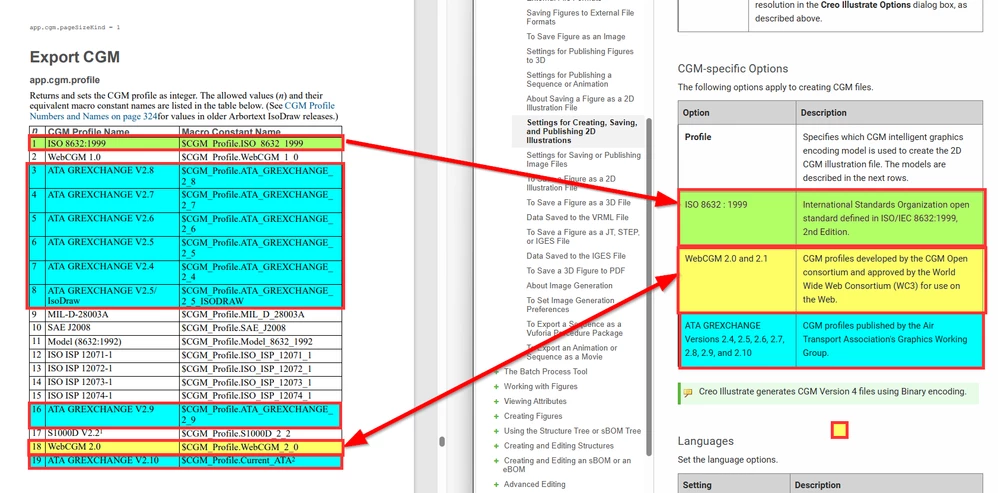
    • C17981632 comparism ISO Draw 7.4 vs. Creo Illustrate 12.1.png
rheinzAnswer
13-Aquamarine
October 19, 2026

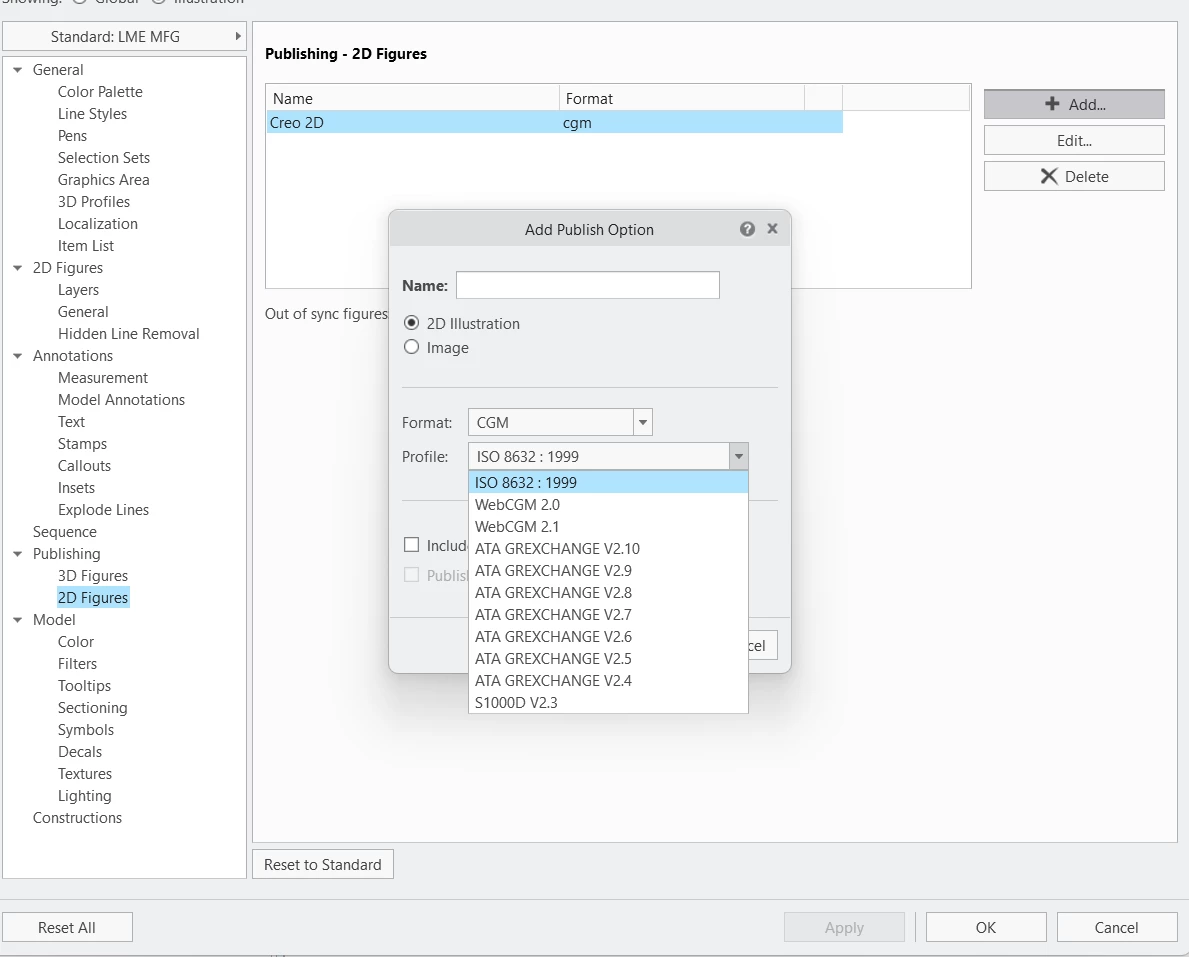
Hello, Looks like the Export Standard for S1000D V2.3 already found it way into PTC Illustrate 2027!

;-)

So this Post / Demand is completed / done.

Our affected Dept. will test this … but think it’s work as defined within the Spec S1000D


3 replies

rheinz13-AquamarineAuthor
13-Aquamarine
January 14, 2026

Additional Information:

The CASE feedback for this situation was:

"To simplify the UI and reduce the complexity of the CGM export module, we have included or considered only the profiles that have shown significant usage in the past couple of years for Creo Illustrate"

Translate
Catalina
Community Moderator
January 21, 2026

Hi @rheinz 

Thank you for your question. 

Your post appears well documented but has not yet received any response. I am replying to raise awareness. Hopefully, another community member will be able to help.
 

Best regards,

Translate
Catalina | PTC Community Moderator
rheinz13-AquamarineAuthorAnswer
13-Aquamarine
October 19, 2026

Hello, Looks like the Export Standard for S1000D V2.3 already found it way into PTC Illustrate 2027!

;-)

So this Post / Demand is completed / done.

Our affected Dept. will test this … but think it’s work as defined within the Spec S1000D


Translate