
Community Member Profile Updates
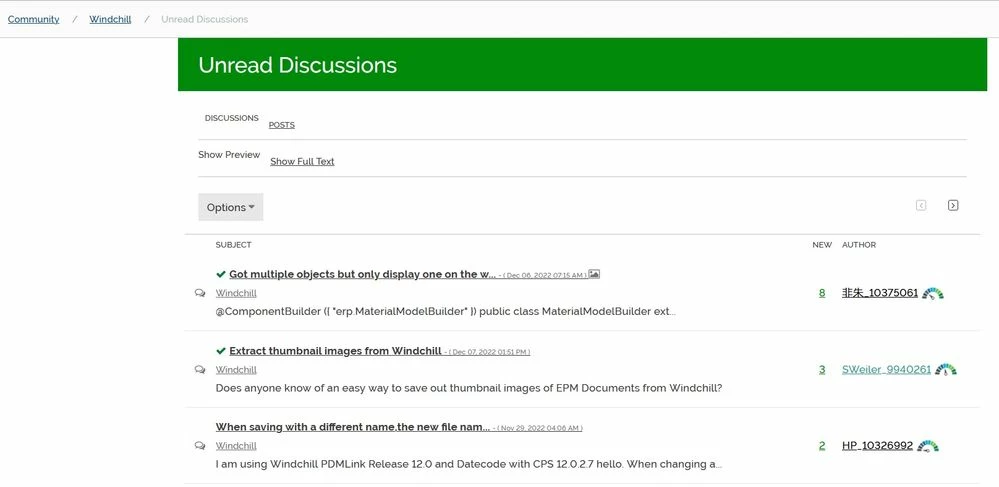
Last month, two new features (unsolved posts and unread discussions) were added to the community member profiles.
1. Unsolved Posts on the Profile Screen
The profile screen had only the 5 latest posts with a (.>) to see the full list. .
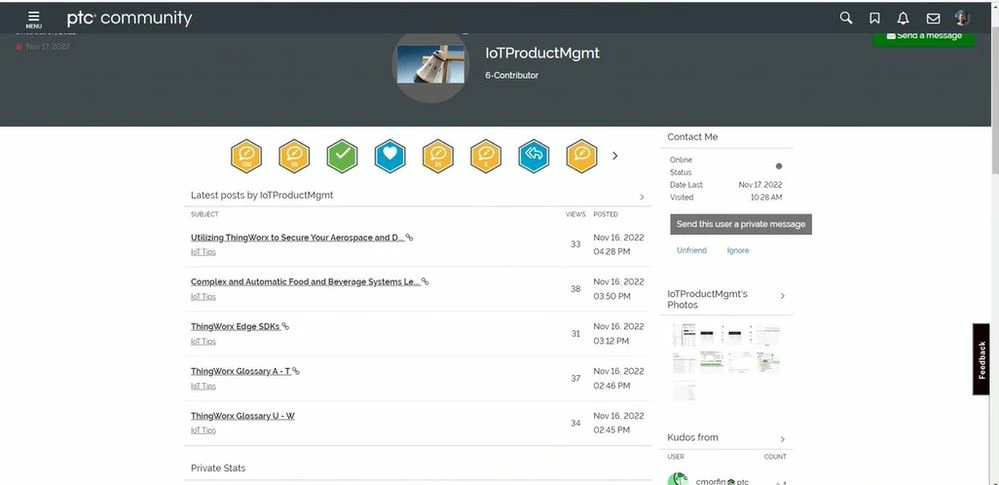
Now you can see the 5 latest posts and the 5 last unsolved posts. 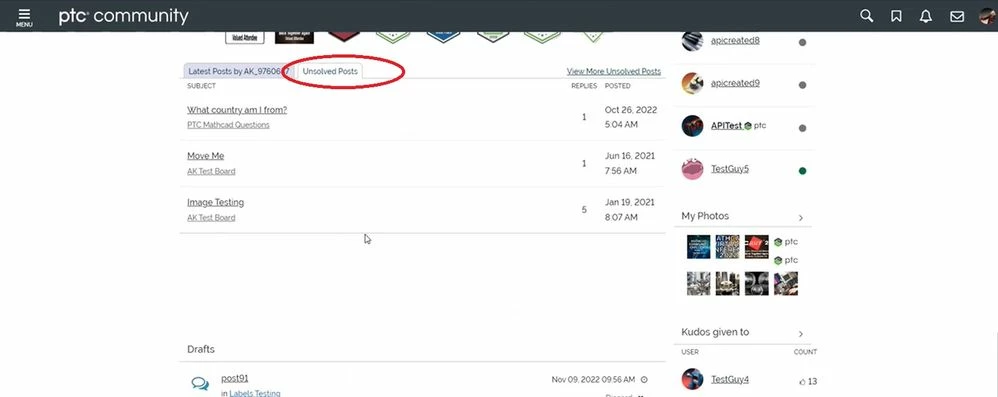
How might this be helpful? As you enter multiple questions about your PTC products, you may want a quick list available to you to see your "outstanding" questions. The best way to clear your list is to go reply to your threads and explain how you resolved your issue. Then, you can mark those replies as an Accepted Solution.

2. Unread Discussions Button
Some community members wanted an easy way to view discussions that they haven't yet read. We added Unread Discussions button at the bottom of every category and sub-category page. Category pages are the top level community pages of typically each product segment.
What is a category and subcategory page?
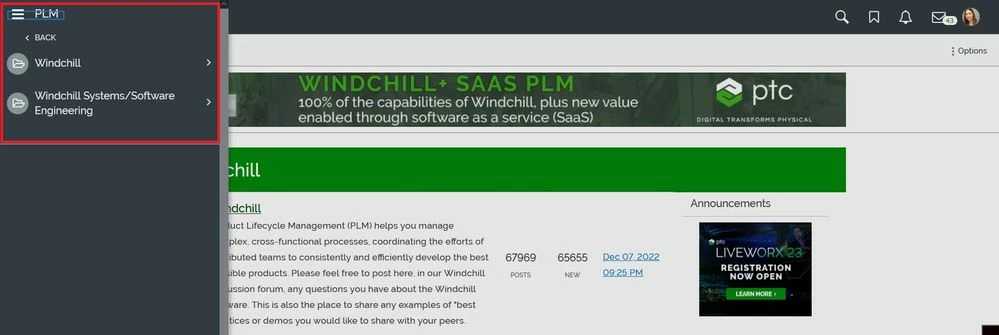
Category pages are directly off the main menu.
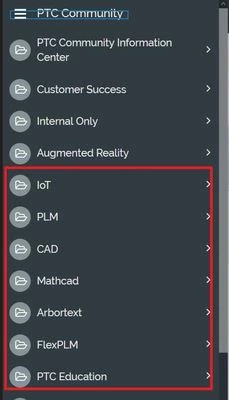
Subcategory page is off the category page.
The Unread Discussions button is not fixed. It will move down the page.
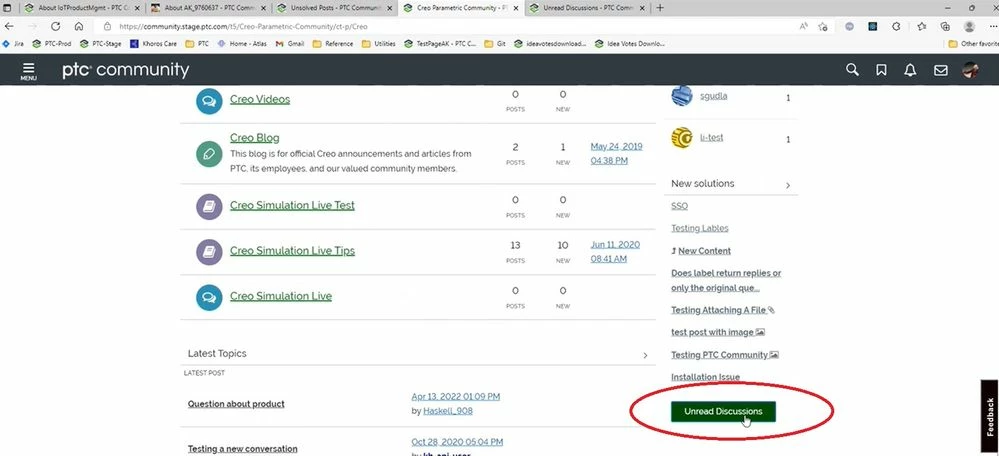
The position of the button down the page is determined by how many "new solutions" are on the category or subcategory page.
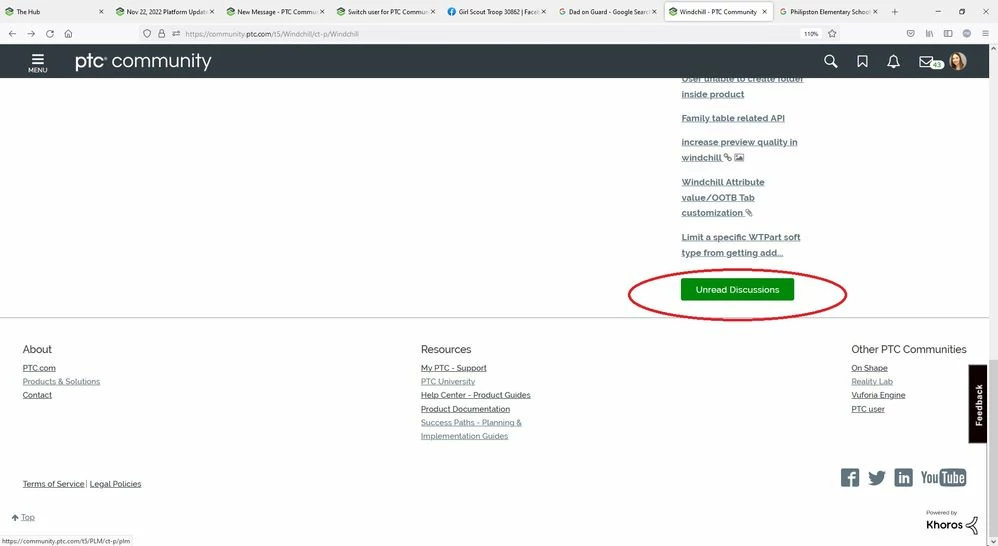
Unread Discussions page now populates.