This isn't a perfect solution, but maybe a temporary one while we look into other notification options. If you want to check if any of your ideas were archived there are a couple of ways you can download a CSV and filter on the relevant information. We archive every quarter.
One way would be to use the search. You should all be able to download search results to CSV.
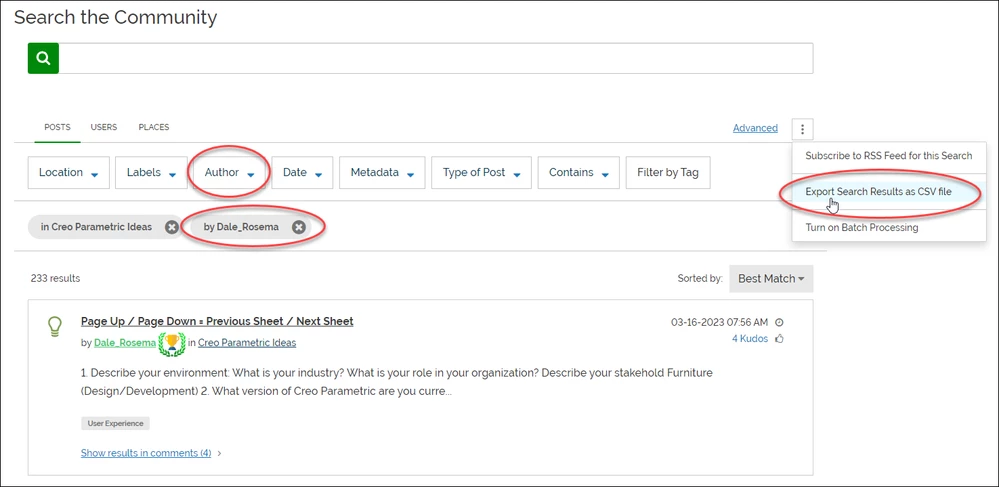
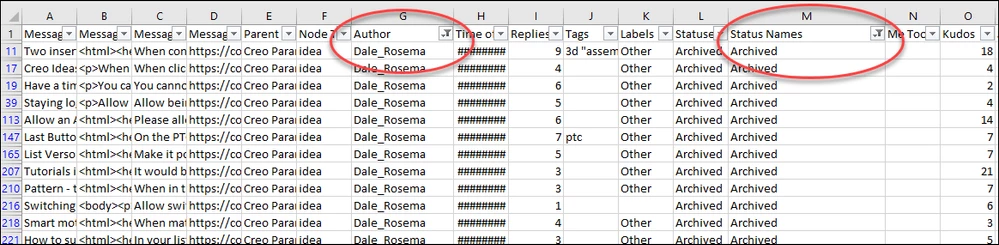
Then you can filter the results. Searching based on author will also return ideas you commented on so you will need to further filter your CSV by author and status.
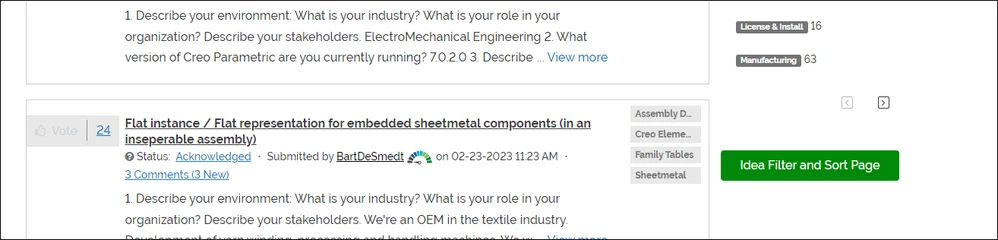
Another option would be to use the Idea Filter and Sort page. For those of you that haven't seen this it is something used by the product managers that we also gave Champions access to. It can be slow because it relies on the API to retrieve sometimes thousands of results at once, but it gives us a lot of flexibility. To visit this page, go to the Idea board and scroll down. You should see an Idea Filter and Sort Page button on the side of the page.
Then you can filter on the "Archived" status and export a CSV.
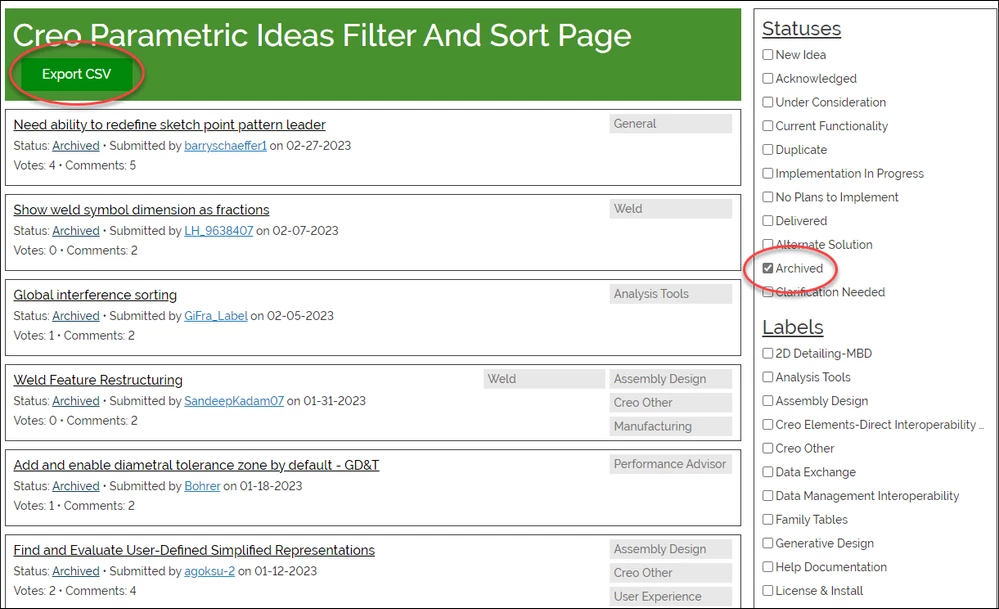
Then you can filter the results by author.

And maybe before the next round of archiving we can work out a way to notify just the interested parties (author, voters, etc.) without spamming everyone subscribed to a board.


