15-Moonstone
December 7, 2021
Solved

PTC help pages and support articles badly viewable under Firefox (low contrast)

  • December 7, 2021
  • 1 reply
  • 4580 views

Hi,

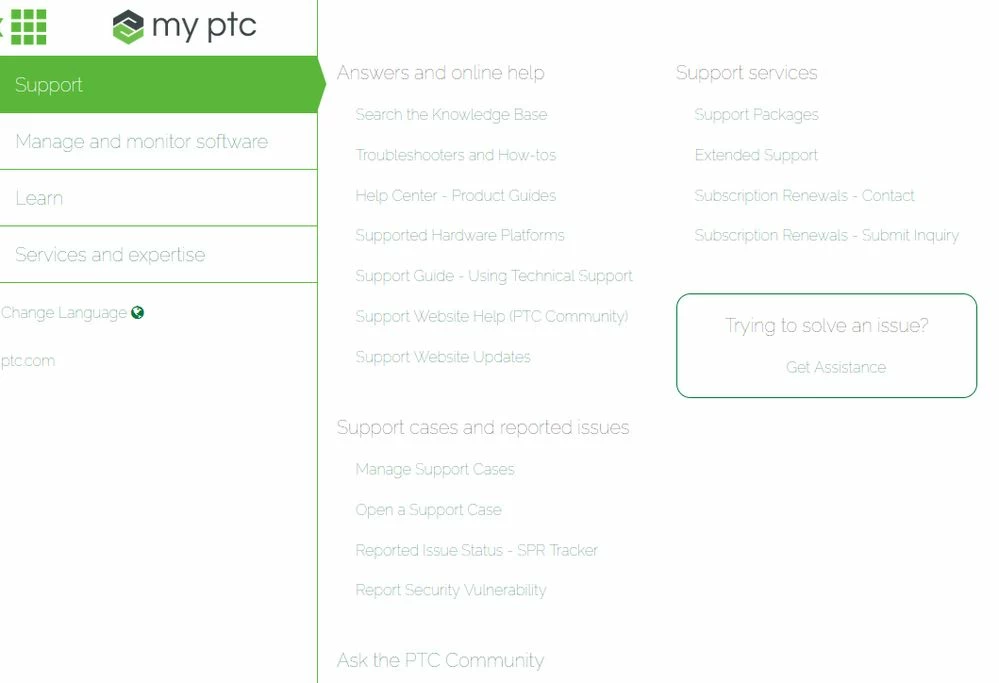
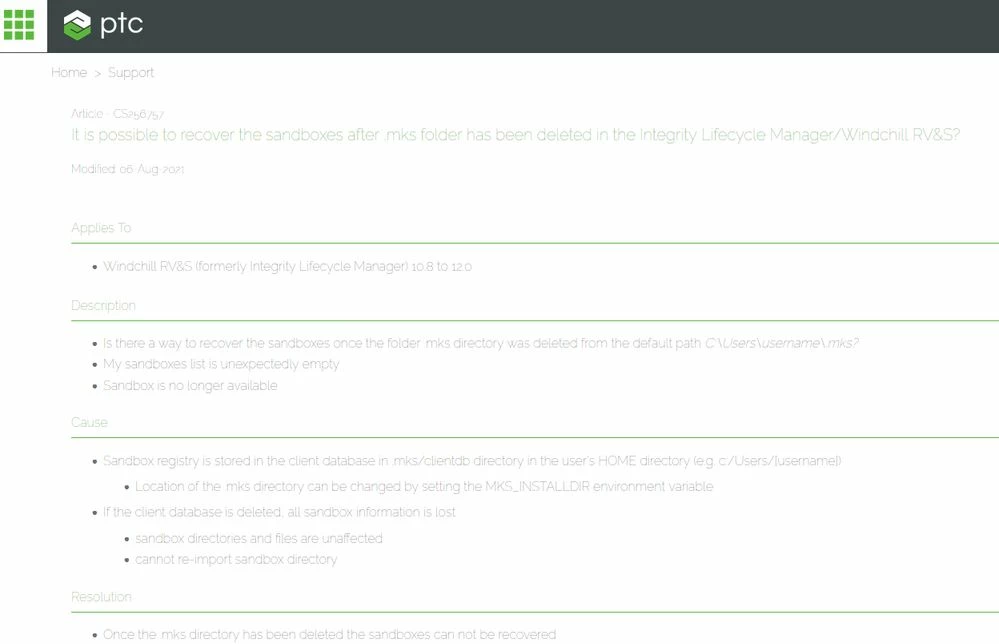
the PTC help pages and support articles are badly viewable under Firefox (low contrast).

They are fine in Chrome.

Any ideas on how to change this?ptc_support_page_firefox.jpgptc_support_page_firefox2.jpg


Best answer by PeterCase

Hi @ssaul, thanks for testing further, and sorry to hear this is still present for you (and some others). To stay in sync with you, I updated to Firefox 95.0 (64-Bit) but articles and the top left navigation still render in the correct colours for me.


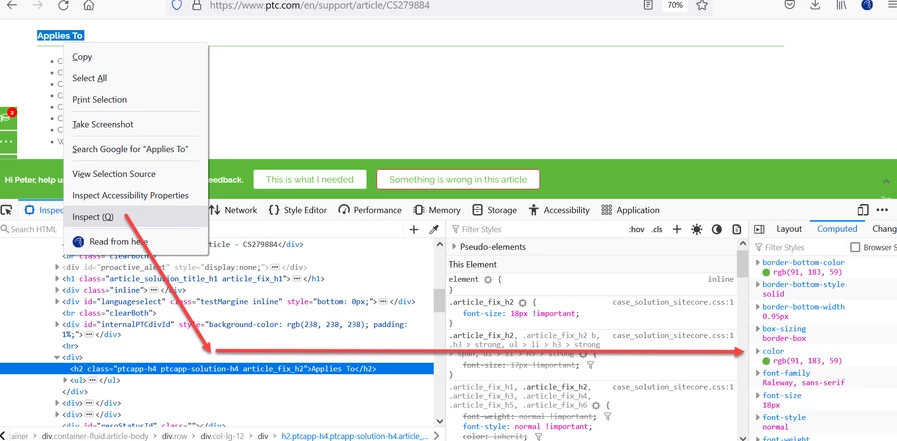
Could you share what you see when you "Inspect" a field on an article. In the screenshot below, you can see I highlighted "Applies To" and see the CSS and details of fonts and colours under the "Computed" tab:
 

PeterCase_3-1639481893431.png


RGB value should read (91, 183, 59). If it's reading this information correctly from our side, then we need to focus on browser config. If the information it's reading is not the same as above, then we need to understand where / how that's being intercepted and changed.


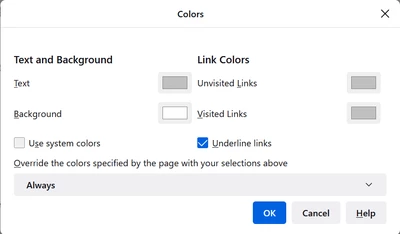
I was able to reproduce the problem only by accessing about:preferences#content and updating the colours as shown below:
PeterCase_0-1639481120065.png


Default settings for these are something like:
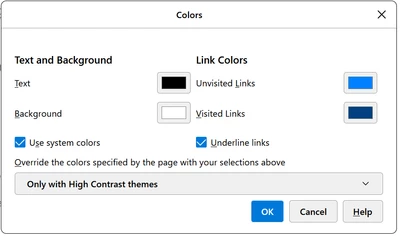
 

PeterCase_1-1639481295431.png

Could you please compare / experiment with the settings here?  If nothing else, overriding with your own preferred colours for text, and visited / unvisited links should provide a workaround while we figure out the root cause.


Many thanks, and best regards,

Peter.


1 reply

Community Manager
December 7, 2021

Hi @ssaul , I also use Firefox as my main browser (build 94.0.2) and don't see this issue. Did you check # Settings # General # Language and Appearance, and ensure "Allow pages to use their own fonts.. " is checked. That way, you will be pulling the CSS from our site:


PeterCase_0-1638883927544.png


I'd also recommend clearing the cache and restarting, if this doesn't work first time.


Thanks,

Peter.

ssaul15-MoonstoneAuthor
15-Moonstone
December 7, 2021

Hi @PeterCase,

"Allow pages to use their own fonts.. " is checked here.

I also cleared the cache, disabled extensions and restarted - still the same (low contrast text).

24-Ruby III
December 7, 2021

I have the same issue in Firefox (version 95.0, x64).