
1-Visitor
February 15, 2012
Question

Blank screen HELP!

  • February 15, 2012
  • 2 replies
  • 9235 views

Hello,

Whenever I start a new 'part', I get a blank screen with which I cannot do anything. The Front, Top, and Right planes are not shown. thus I cannot start any project or work. Here's the picture ...
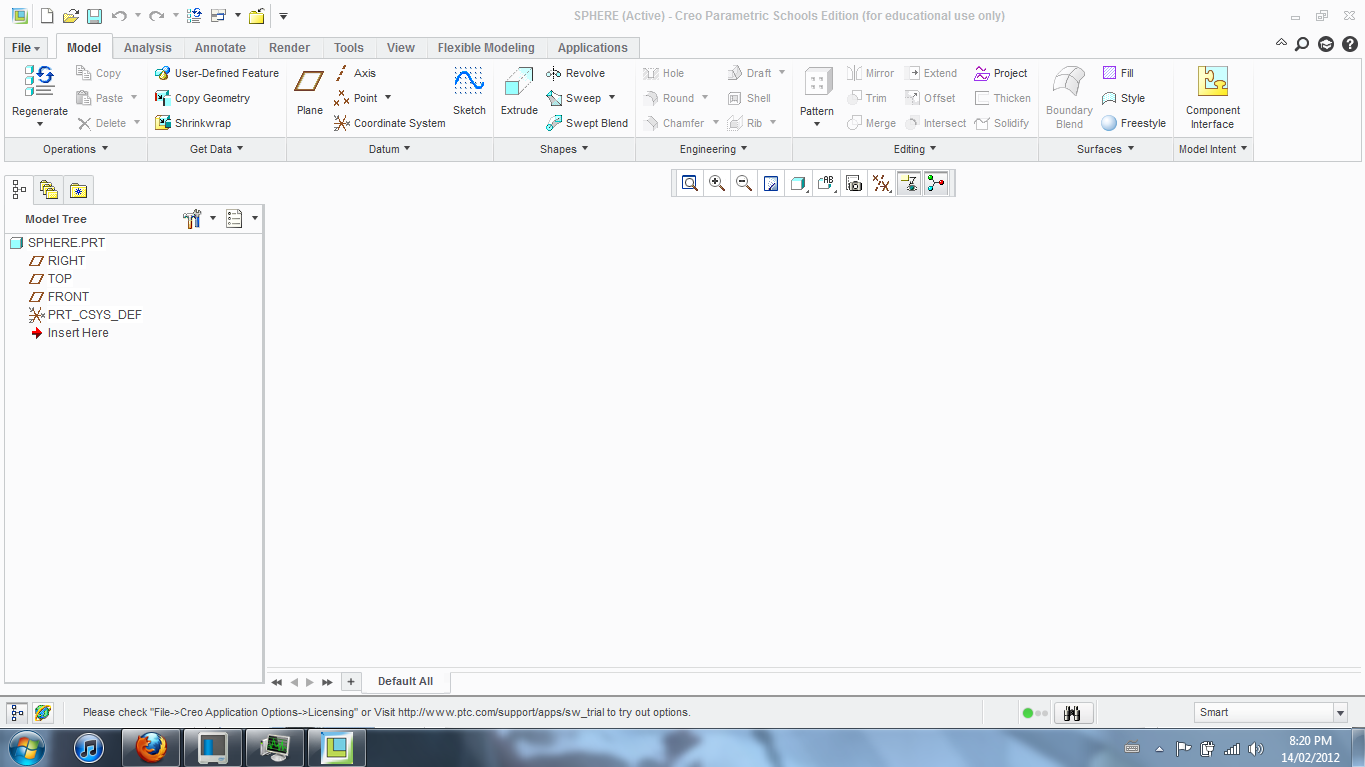
Capture.PNG

Any idea?

Any help is greatly appreciated.

For your information, I have a school's edition of Creo Parametric.

Thanks,

Kevin.

    2 replies

    February 15, 2012

    It appears that your datum display is disabled. This is changed in the Graphics Toolbar at the top of the graphics area.

    datum_display.png

    KevinB1-VisitorAuthor
    1-Visitor
    February 15, 2012

    Hey,

    Thanks for the reply. But I've already activated those displays, even checked the "Show Datum" option from the "Options" tool. Yet, graphics area remains to be blank.

    Any more ieas?

    Thanks!

    February 15, 2012

    When you select a datum in the model tree, does anything in the screen highlight?

    1-Visitor
    July 26, 2012

    Same problem, but I am running a Creo Parametric 2.0 version and windows 7 and I have installed the latest version of my graphic driver.

    18-Opal
    July 26, 2012

    Hi Tom,


    What type of graphics card to you have in your machine?

    Can you do me a favor and navigate to:

    C:\Program Files\PTC\Creo 2.0\Common Files\M010\text

    Open config.pro in a Notepad.

    Add the following line:

    graphics win32_gdi

    Save the file. Note: you might have to save config.pro to your desktop as writing to the C drive is not permitted. Then drag the config.pro file from the desktop to the text folder. Overwrite the existing file.

    Start Creo 2.0. again.

    This has changed the setting to use emulated graphics for Creo 2.0.

    Thanks,

    Mark

    1-Visitor
    July 26, 2012

    Thank you soo much it now works!

    Many thanks,

    Tom Xiong