4-Participant
September 13, 2023
Solved
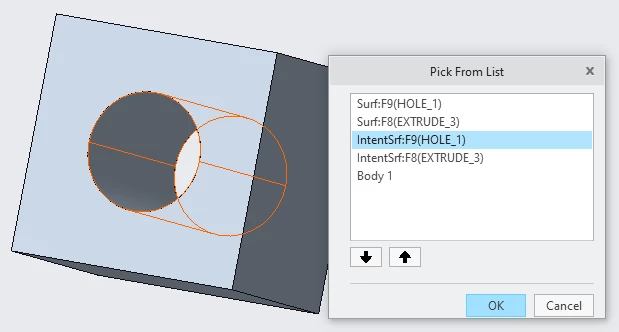
Cannot unify 2 adjacent surfaces (top and bottom half)
- 4 replies
- 3211 views
- Translate All
Hello I created a hole with extrude (remove material) option nut then I got 2 bottom surfaces of 2 holes as 1 entity and 2 top surface as 1 entity later I divided the 2 bottom and 2 top into 4 entity with split surface region option. Now I cannot unify the top and bottom surface for either of the holes. I need top and bottom as 1 entity for using analysis on another software (which does not support join surface and split surface are considered as 2 cad faces)