Solved
Changing installation directory
I just downloaded Creo 3.0 and set up the license I got. It worked all fine until the point where I had to install the Creo parts.
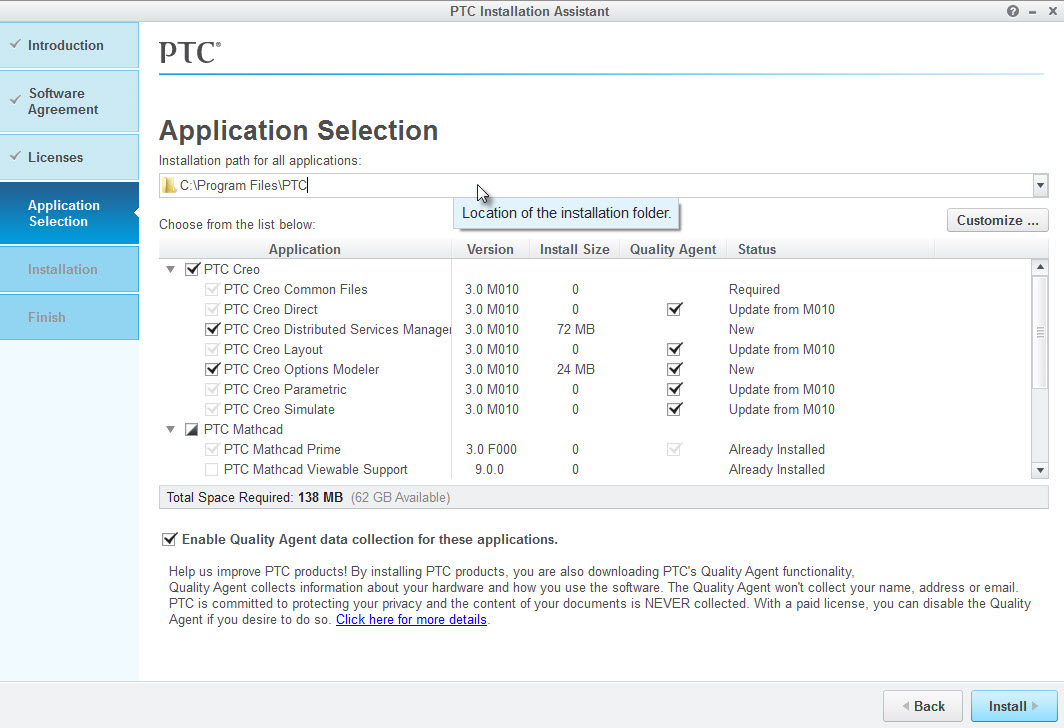
I am using a two hard-drive setup on my PC. I have a fast SSD for Windows and a normal HDD for everything else. The SSD is almost full.
The problem is that Creo wants to install itself to the SSD (path is C:\) but, as I said, it's full. The Installation manager won't let me switch the directory where Creo has to be installed at (I want it to be in D:\....).
Is there a way to change the installation directory?
I already tried typing in the path manually, but it didn't help. I also tried running the installation as admin, but also no success.
I hope someone can help me