1-Visitor
November 27, 2020
Solved

Creo 7.0.0.0 student version error "License request failed for feature"

  • November 27, 2020
  • 2 replies
  • 12828 views

Hello,

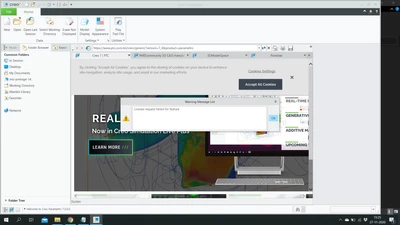
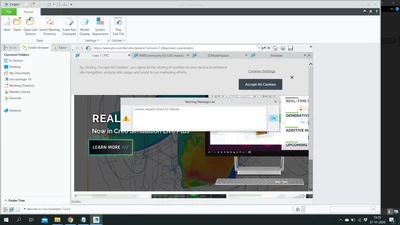
I am trying to install creo 7.0 for students. After installing i tried to open creo parametric but recieved this error:
ToonBorghijs_0-1606487472329.png

There is not a lot of information about what is wrong with the license.


I used this link for download:

https://www.ptc.com/en/academic-program/academic-products/free-software/creo-college-download/thank-you

Here I could open a .pdf and found this license code: BK700908EDSTUDENTEDUNI

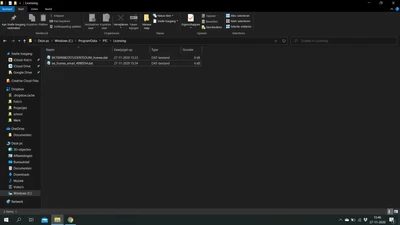
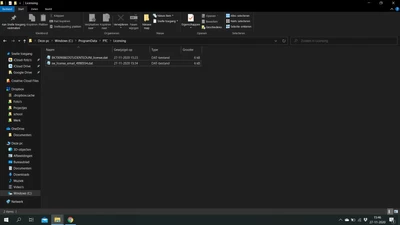
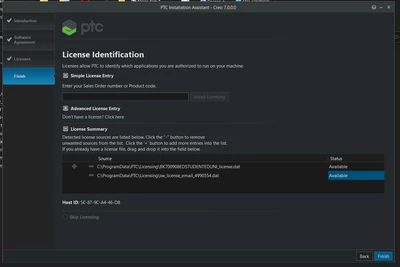
Then i used this in the installer and it created a license (name : BK700908EDSTUDENTEDUNI_license.dat)

This file is uploaded with the post.


Since this didn't work I also tried to use a license that was send to me by email.

(name sw_license_email_4990554.dat)


Both don't work. Then i have also tried to recieve a license via k12 students with similar results.

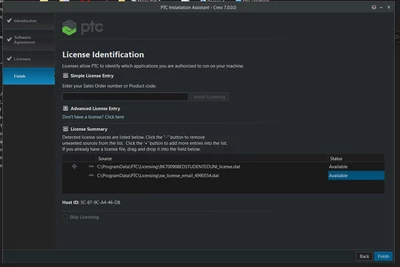
In the installer the codes are available but they don't work for creo parametric.


Can somebody please help?
ToonBorghijs_1-1606488423932.pngToonBorghijs_2-1606488482430.png


Best answer by MartinHanak

@ToonBorghijs_300989 wrote:

Hello,

I am trying to install creo 7.0 for students. After installing i tried to open creo parametric but recieved this error:

ToonBorghijs_0-1606487472329.png

There is not a lot of information about what is wrong with the license.


I used this link for download:

https://www.ptc.com/en/academic-program/academic-products/free-software/creo-college-download/thank-you

Here I could open a .pdf and found this license code: BK700908EDSTUDENTEDUNI

Then i used this in the installer and it created a license (name : BK700908EDSTUDENTEDUNI_license.dat)

This file is uploaded with the post.


Since this didn't work I also tried to use a license that was send to me by email.

(name sw_license_email_4990554.dat)


Both don't work. Then i have also tried to recieve a license via k12 students with similar results.

In the installer the codes are available but they don't work for creo parametric.


Can somebody please help?
ToonBorghijs_1-1606488423932.pngToonBorghijs_2-1606488482430.png


Hi,

1.]

In Windows look for active network card associated with MAC address 5C-87-9C-A4-46-D8.

2.]

Edit <Creo_loadpoint>\Parametric\bin\parametric.psf file - replace 2 original files with two following lines.

ENV=PTC_D_LICENSE_FILE-=C:\ProgramData\PTC\Licensing\BK700908EDSTUDENTEDUNI_license.txt
ENV=CREOPMA_FEATURE_NAME=CREOPMA_Student6 ()


2 replies

24-Ruby III
November 27, 2020

@ToonBorghijs_300989 wrote:

Hello,

I am trying to install creo 7.0 for students. After installing i tried to open creo parametric but recieved this error:

ToonBorghijs_0-1606487472329.png

There is not a lot of information about what is wrong with the license.


I used this link for download:

https://www.ptc.com/en/academic-program/academic-products/free-software/creo-college-download/thank-you

Here I could open a .pdf and found this license code: BK700908EDSTUDENTEDUNI

Then i used this in the installer and it created a license (name : BK700908EDSTUDENTEDUNI_license.dat)

This file is uploaded with the post.


Since this didn't work I also tried to use a license that was send to me by email.

(name sw_license_email_4990554.dat)


Both don't work. Then i have also tried to recieve a license via k12 students with similar results.

In the installer the codes are available but they don't work for creo parametric.


Can somebody please help?
ToonBorghijs_1-1606488423932.pngToonBorghijs_2-1606488482430.png


Hi,

1.]

In Windows look for active network card associated with MAC address 5C-87-9C-A4-46-D8.

2.]

Edit <Creo_loadpoint>\Parametric\bin\parametric.psf file - replace 2 original files with two following lines.

ENV=PTC_D_LICENSE_FILE-=C:\ProgramData\PTC\Licensing\BK700908EDSTUDENTEDUNI_license.txt
ENV=CREOPMA_FEATURE_NAME=CREOPMA_Student6 ()


1-Visitor
January 4, 2021

please make it more clearer and in a simple way, I want to follow your procedure but couldn't understand , what do you want to say?


1-Visitor
April 1, 2021

It's been almost 3 months so I hope you're not struggling with this but I just had the exact same error and was finally able to get it fixed. Here's what I did:


1. Go to ...ProgramFiles\PTC\Creo 7.0.2.0\Parametric\bin

2. Copy the file "parametric.psf" (PTC Startup File)

3. Paste this file to your Desktop

4. Open this file with Notepad

5. CTRL+F and search for the line "ENV=PTC_D_LICENSE_FILE", this is the license file CREO is looking for. For me it was the wrong one and it appears it is for you too.

6. Replace the file name with the correct file (for me modifying BK600... to BK700...)

7. Drag this file back into the ...ProgramFiles\PTC\Creo 7.0.2.0\Parametric\bin folder. 

8. Click "Continue" to perform this action as an administrator

9. Run CREO, it should work now.


NOTE: You're going to have to edit the file in your desktop or somewhere other than the bin folder and drag it back in after your edit. It will not give you permission to edit it in the bin folder.

1-Visitor
March 13, 2021

I'm having the same issue. Has anyone figured out a solution?

1-Visitor
April 3, 2021

make sure you are using the correct code for the version of creo you are trying to install. If you are following a creo v6 instruction pdf while trying to set up creo v7, you will get the same error.