1-Visitor
March 22, 2016
Solved

dysfunctional placement button

  • March 22, 2016
  • 1 reply
  • 2841 views

Hello,

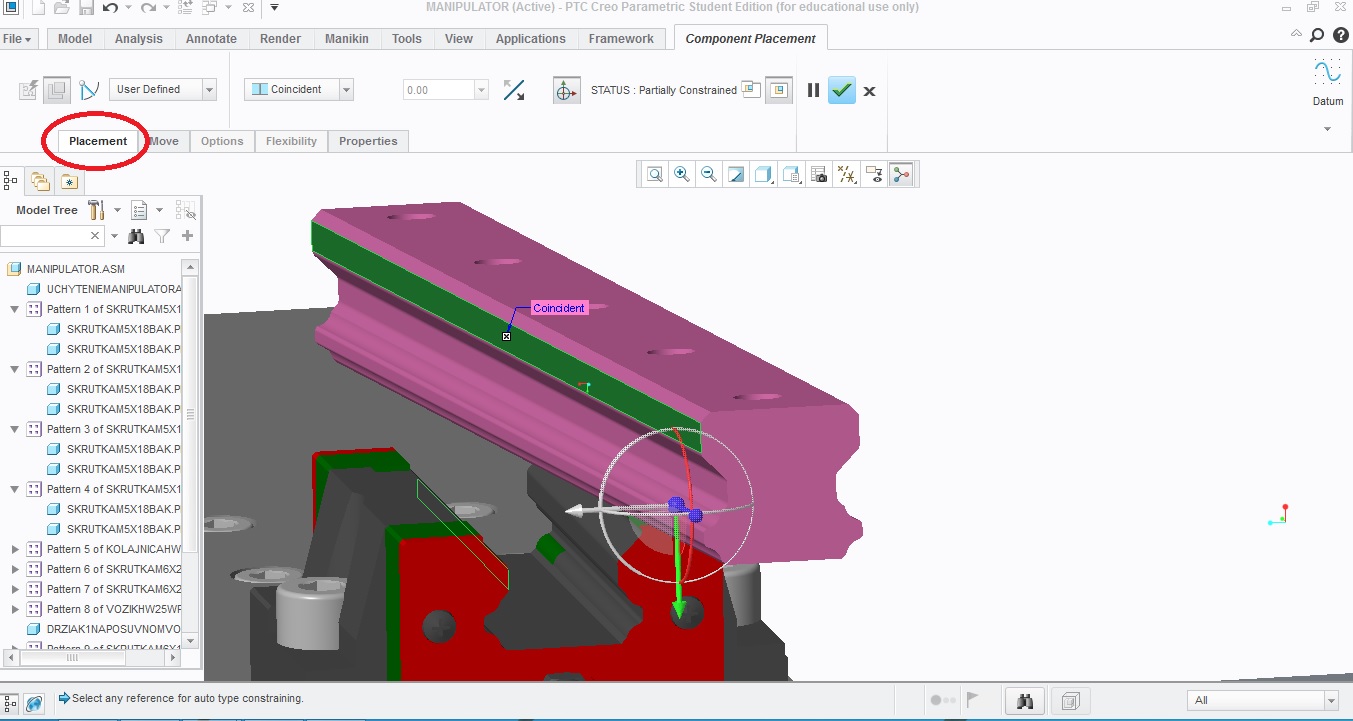
I have problem with placement button in component placemnet . When I do assembly and I want change placement so, placement button don t work. I have creo3 with new student license because I had to recover old. In old version it worked good but in new not. So what I should do ? Thanks for all answer.

creo.jpg

    Best answer by MartinHanak

    Hi,

    1.] info for you

    %APPDATA% variable contains path to C:\Users\username\AppData\Roaming directory

    %LOCALAPPDATA% variable contains path to C:\Users\username\AppData\Local directory

    ---

    Therefore I asked you to delete PTC subdirectory in C:\Users\username\AppData\Roaming directory.

    2.] Creo Parametric 3.0 enables user to unpin dialog box from its tab (user can move dialog box to any screen location). I guess that you did such action and then saved customization file (creo_parametric_customization.ui). Maybe you moved dialog box to second monitor and forget about it ...

    I did some testing and realized that "unpinned" status is saved in customization file (creo_parametric_customization.ui). So find this file (with .ui extension) and rename it (for example to creo_parametric_customization.ui.xxx).

    The file can be saved:

    • in your working directory
    • in C:\Users\username\AppData\Roaming\PTC\ProENGINEER\Wildfire\.wf\.Settingsdirectory
    • in CREO3_LOADPOINT\Creo 3.0\M060\Common Files\text directory

    MH

    1 reply

    24-Ruby III
    March 23, 2016

    Hi,

    you can try following:

    • open Windows Explorer and go to %APPDATA% directory

    appdata.png

    • delete PTC subdirectory

    MH

    1-Visitor
    March 23, 2016

    Hi

    Thank you for your answer. I tried to use your advice but it didn t work. It s possible that I did it wrong, because I have in APPDATA two directory 1. LOCAL with PTC  2.ROAMING with PTC . So I don t know which one delete

    24-Ruby III
    March 24, 2016

    Hi,

    1.] info for you

    %APPDATA% variable contains path to C:\Users\username\AppData\Roaming directory

    %LOCALAPPDATA% variable contains path to C:\Users\username\AppData\Local directory

    ---

    Therefore I asked you to delete PTC subdirectory in C:\Users\username\AppData\Roaming directory.

    2.] Creo Parametric 3.0 enables user to unpin dialog box from its tab (user can move dialog box to any screen location). I guess that you did such action and then saved customization file (creo_parametric_customization.ui). Maybe you moved dialog box to second monitor and forget about it ...

    I did some testing and realized that "unpinned" status is saved in customization file (creo_parametric_customization.ui). So find this file (with .ui extension) and rename it (for example to creo_parametric_customization.ui.xxx).

    The file can be saved:

    • in your working directory
    • in C:\Users\username\AppData\Roaming\PTC\ProENGINEER\Wildfire\.wf\.Settingsdirectory
    • in CREO3_LOADPOINT\Creo 3.0\M060\Common Files\text directory

    MH