Extrude .dxf: No geometry + Creo is slow
Hello!
I imported .dxf file into Creo. The program doesn't want to extrude it, at least not the part I want.
Here is the procedure to repeat my "error":
1) Open Creo.
2) New.
3) Uncheck "use default template -> Choose "solid_part_mmks_abs".
4) In Creo, click "Sketch" and choose a plane.
5) "File System" -> select .dxf file.
6) Place file on the plane.
7) Click "OK" (after some time many markings appear).
😎 Around 100 times click "No" on these windows (and then I got file "Bookend.prt"):

9) Try to extrude the part between lines (I also need to extrude all stars, but this is a detail).
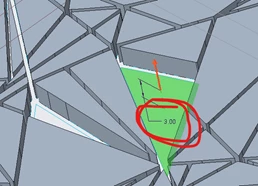
Step 9 is the one which I am unable to do. I can select the space between lines (see image below):

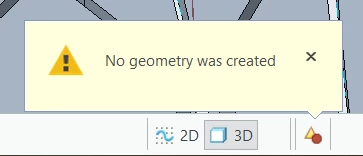
and when I click here, then message "No geometry was created" appears in message log:
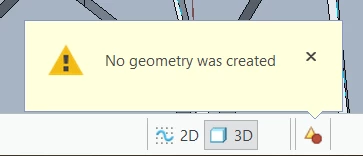
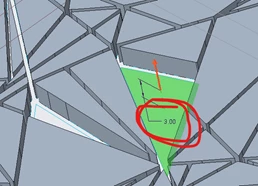
What I tried to do is make a "negative" of this model, so I would substract this negative from a cylinder and then get the final relief I want. But I figured out it is also impossible to extrude the last two planes (see file Best_Attempt.prt) - the same message "No geometry was created" appears. There is a distance, but no geometry:
In addition to all this Creo works very slowly. After every extrude I have to wait like 30s to be able to continue working.
I use Creo Parametric 7.0.0.0 (Creo Direct Educational Edition). The logo I used is this one: https://www.pinterest.es/pin/396879785916988026/. I transformed it to .dxf file using Inkscape.
I searched this forum, youtube and other portals (I did update my graphic card!), but I haven't found the solution for my problem. I need to put this logo on a L-shaped object and then I will 3-D print a bookend for my sister.
Any help would be very appreciated.
Gregor