
1-Visitor
February 22, 2015
Solved

Files Not Clearing From Windchill Workspace

  • February 22, 2015
  • 1 reply
  • 3018 views

We have checked in a part to our windchill server, but when we click the "open" button in creo, the part is still displayed in the workspace. It seems to be that the local workspace in creo and the workspace I can see using windchill are not in sync. I have attached some screen shots to hopefully explain this better.

This is where we checked-in our part. It is clearly not in the workspace, according to windchill.
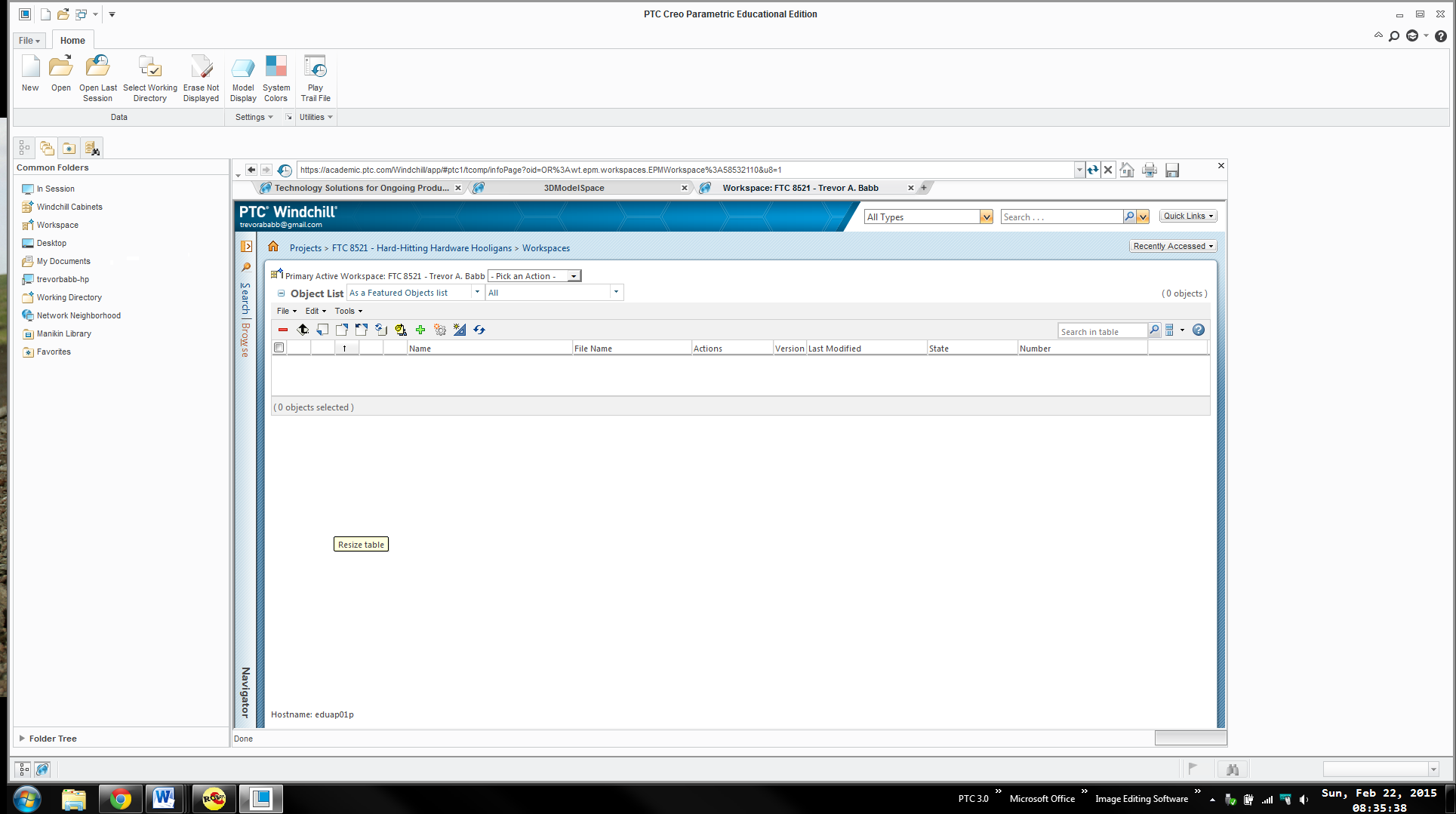
Winchill Question Picture 1.png

Then we click the "open" button in the upper-left corner, and the part still pops up.
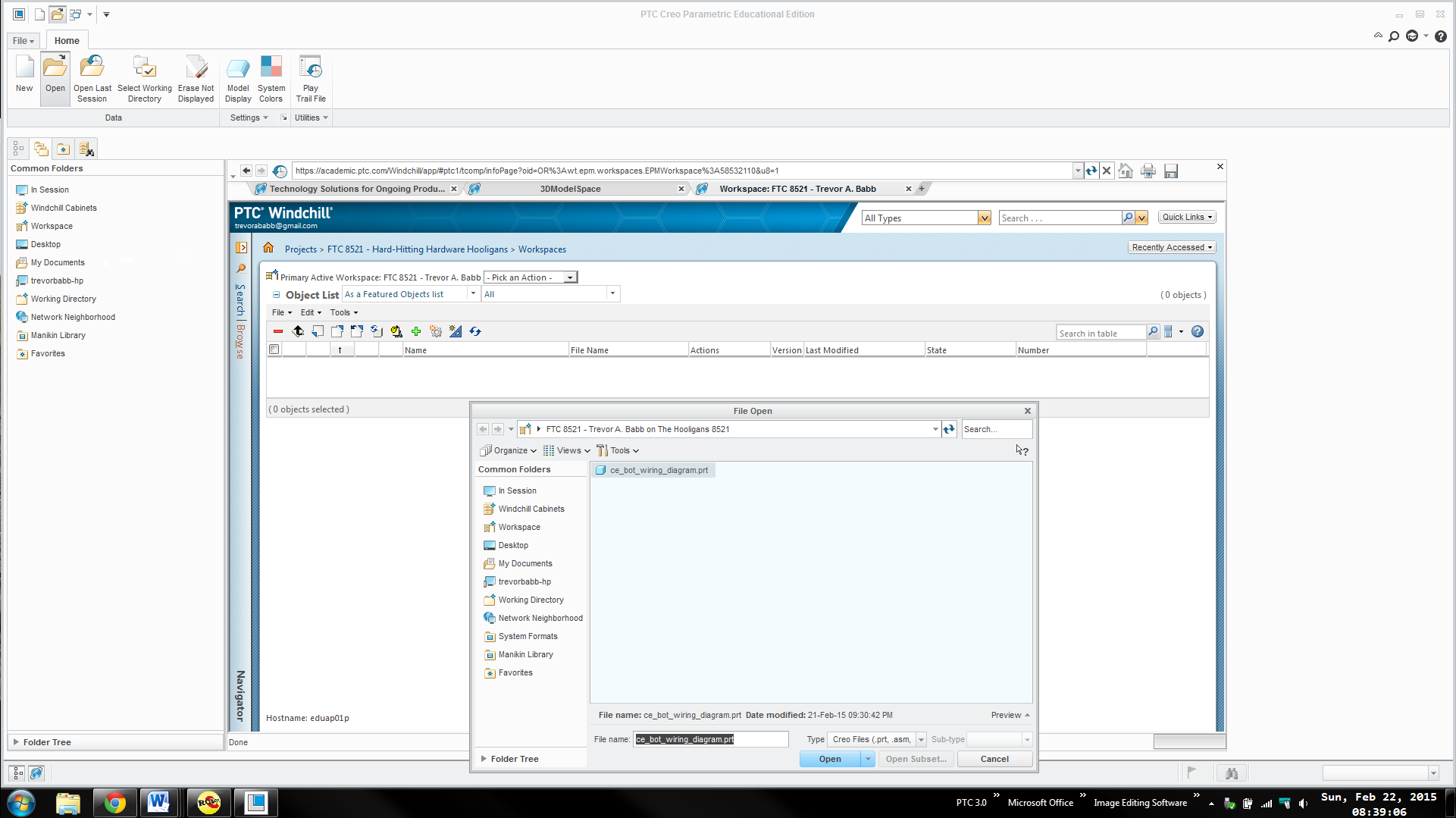
Windchill Question Picture 2.png

Our main concern is with big complex assemblies, certain components may not check-in later, which was more or less our problem last year. We made a few mistakes when handling windchill last year and we want to make sure that this is not one of them.

Thanks,

Trevor A. Babb

FTC 8521

Hard-Hitting Hardware Hooligans
    Best answer by sm_01

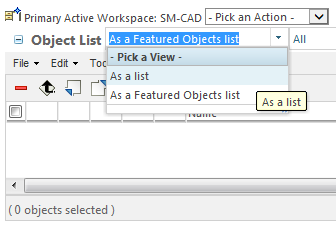
    Trevor, in your screen shots, you have changed the object list filter from "As a list" to "As a Featured Objects list". If you change it back to "As a list", you should be all set.

    wsfilesasalist.png

    1 reply

    1-Visitor
    February 23, 2015

    We looked through Creo a bit more, and found that if you access the workspace through the windchill cabinets, it appears to be updated. We have attached some screen shots.

    Here we are in the not updated workspace, and we clicked on windchill cabinets on the left.

    Windchill Question Picture 3.png

    Once there, we opened up our workspace folder, and then our workspace, which was the only thing in the workspace folder.

    Windchill Question Picture 4.png

    As you can see, this workspace is updated, as the part is no longer there.

    Windchill Question Picture 5.png

    Is there a way to simply remove the "Workspace" from the common folders area, and have Creo just always start in the working directory? We would have to then navigate through the windchill cabinets, which takes us to the "correct" workspace.

    Thanks,

    Trevor A. Babb

    FTC 8521

    Hard-Hitting Hardware Hooligans

    sm_011-VisitorAnswer
    1-Visitor
    February 24, 2015

    Trevor, in your screen shots, you have changed the object list filter from "As a list" to "As a Featured Objects list". If you change it back to "As a list", you should be all set.

    wsfilesasalist.png

    1-Visitor
    February 24, 2015

    Mr. Morris,

    Once I changed it to "As a list" it displayed the part everywhere. This would therefore mean that even though we check-in an object, the part still remains in the workspace. Is there a setting we can change so that we have to check out the part to see it in the workspace, because the current setup may lead to some confusion.

    Thanks,

    Trevor A. Babb

    FTC 8521

    Hard-Hitting Hardware Hooligans