

Question
files not found when running configure.bat and selecting no.4 C:\Program Files\PTC\Creo 2.0\Common Files\M120\creo_standards
Hi when configuring standard and units of measure, I get an error message saying the file(s) cannot be found. This is directly after installing the Academic Edition of Creo 2.0 and running the configure.bat as an admin. I also went back and installed the MKS option after thinking the files may be contained in there.
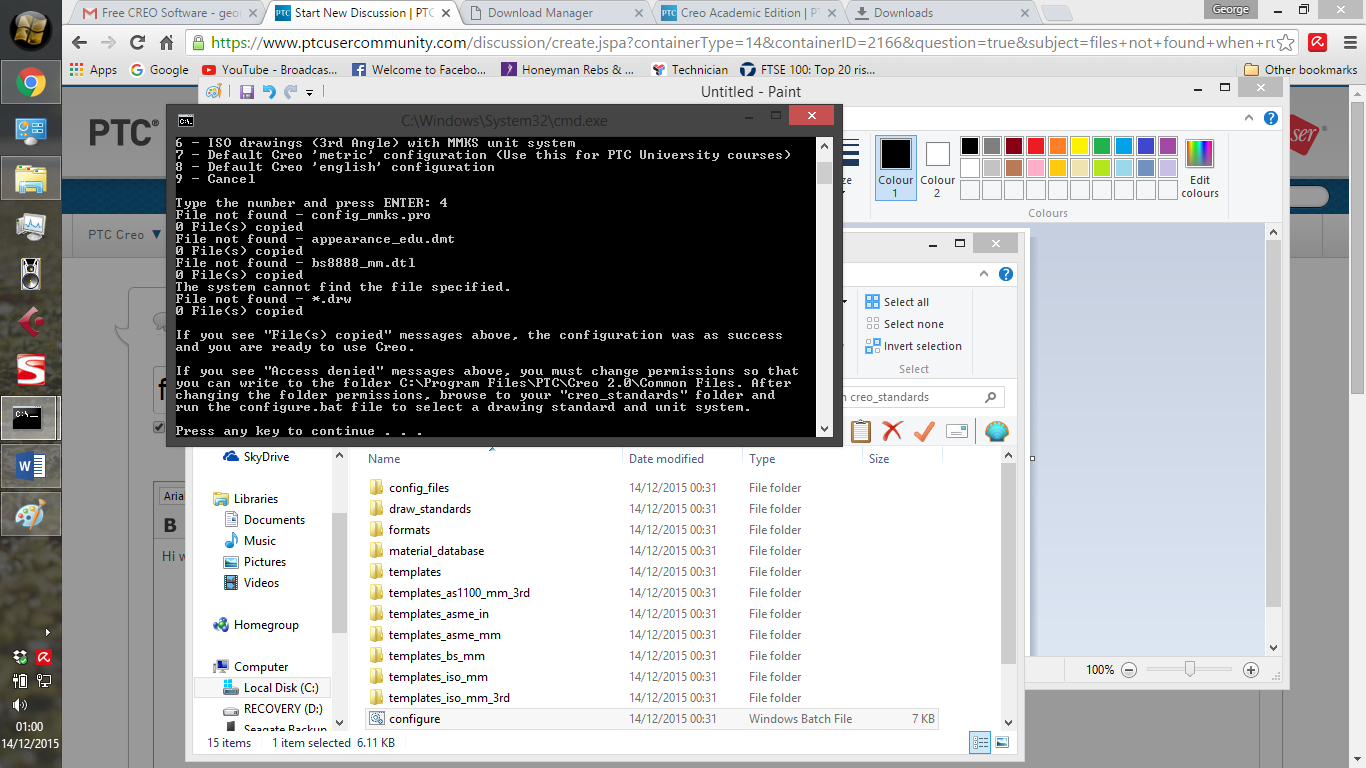
Cheers
George