

1-Visitor
August 27, 2019
Solved

Group single objects in Creo Illustrate Professional 6.0

Hello,


i have another question. Is there a possibility to group single objects to one module?

For example i want to move a door in my 3D-model. The .STP Import created many single objects.

Now i have to mark five single objects to move the door. I want to group the five marked objects and

name them "Door". 
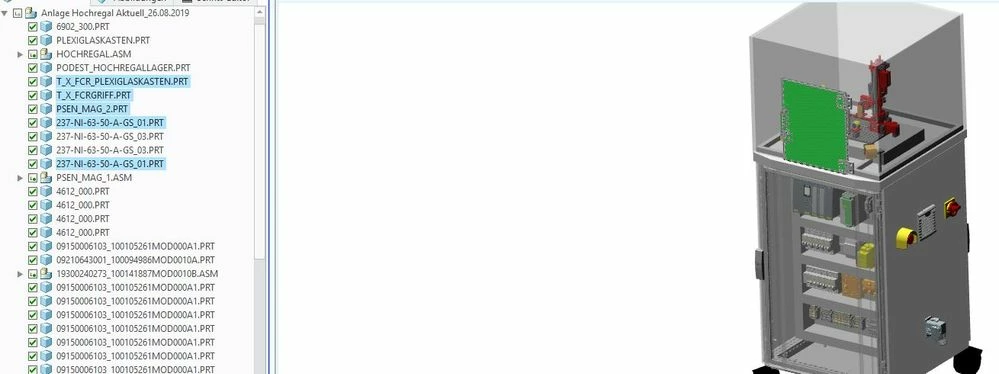
 

Group Objects.JPG


I want to group the blue marked objects in the picture. This would make everything much easier.


Thanks for your help.


Best regards 

Marco

24-Ruby III
August 28, 2019

2 replies

24-Ruby III
August 28, 2019

Hi,

maybe sBOM functionality will solve your problem.

Start on https://support.ptc.com/help/creo/illustrate/r6.0/en/index.html#page/creo_illustrate%2Fgxy1335.html%23

Translate
MarcoNFT1-VisitorAuthor
1-Visitor
September 16, 2019

Hi,


i'm bit late. Today i tried to group my marked Objects and it worked!

Thank you very much for your help.


Here is my grouped object named "Door_Acrylic glass box"

grouped objects_creo.JPG

Translate