
1-Visitor
January 1, 2016
Solved

How do you change the direction in which a motor moves in a simulation.

  • January 1, 2016
  • 1 reply
  • 3764 views

Hi Scott, I was wondering if you could tell me how to reverse the direction in which a motor moves in a simulation. I was also wondering if you could help me simulate the servo on the right of the picture below, as I am only allowed to rotate the mechanism on the left as of now:
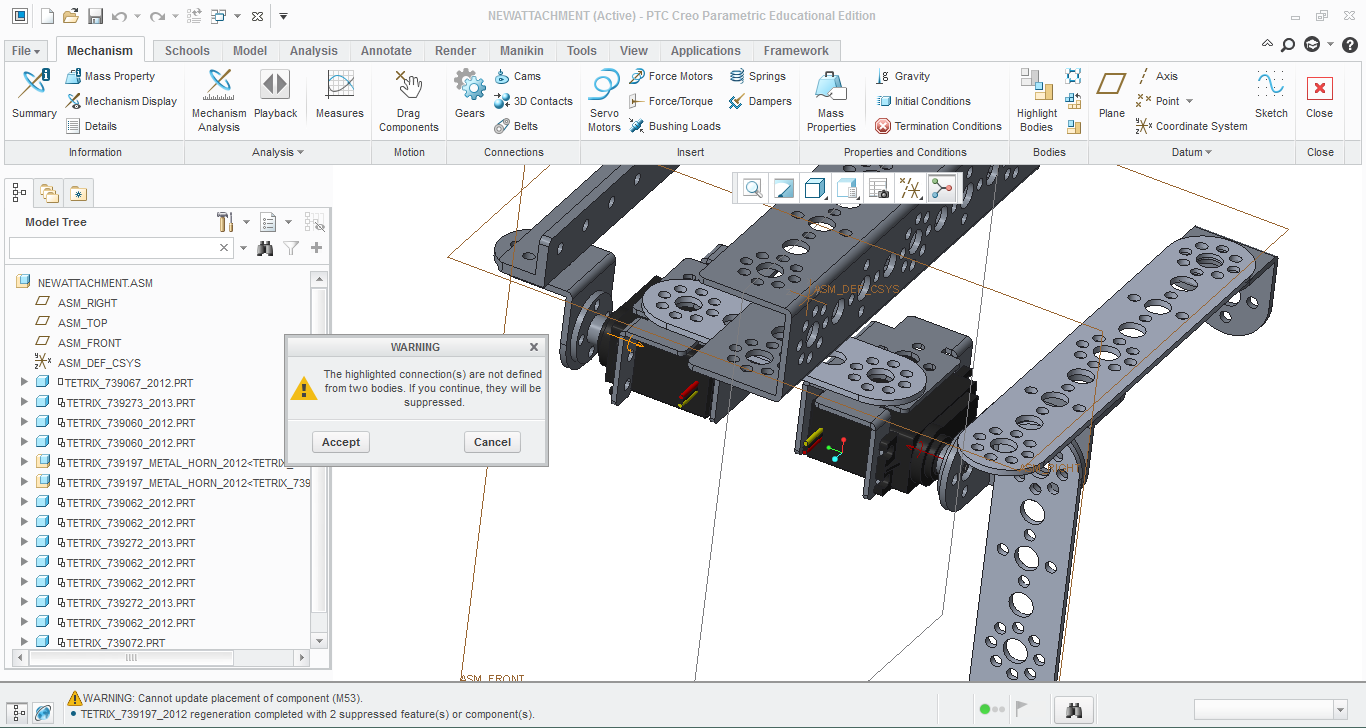
NewAttachmentPostPic.PNG

Also, I was wondering if you could tell me the steps to delete some of the material on the Tetrix part shown on the arm of my right mechanism.

This is the link model I described:newattachment.asm.zip

Thank you!

    Best answer by sm_01

    The first thing you need to do is the fix the assembly constraints for the second to last part in your model. It is constrained to "ground" which is preventing the servo from rotating. For your mechanism, I would add a snapshot named "initial posistion" and make it the starting point for your analysis. That will ensure you always start from the same position and not the current position. To change the direction of the motor, just change the constant from a positive number to a negative number.

    1 reply

    sm_011-VisitorAnswer
    1-Visitor
    January 3, 2016

    The first thing you need to do is the fix the assembly constraints for the second to last part in your model. It is constrained to "ground" which is preventing the servo from rotating. For your mechanism, I would add a snapshot named "initial posistion" and make it the starting point for your analysis. That will ensure you always start from the same position and not the current position. To change the direction of the motor, just change the constant from a positive number to a negative number.

    1-Visitor
    January 4, 2016

    Thank you! How would I go about doing the snapshot? As of now I just define where the arm should start by setting a value in the servo motor pop-up box.

    1-Visitor
    January 4, 2016

    Snapshots are defined in the Drag Components dialog box. Select the Drag Components icon in the Mechanism toolbardragcomponents.jpg and you'll be able to create a snapshot for any position of the assembly.