1-Visitor
December 1, 2013
Question

Making a simple mould from an object

  • December 1, 2013
  • 16 replies
  • 11331 views

PTC Creo can perform Boolean operations on shapes and subtracting an object from a block of material creates an exact negative or mould.
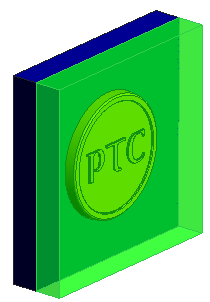
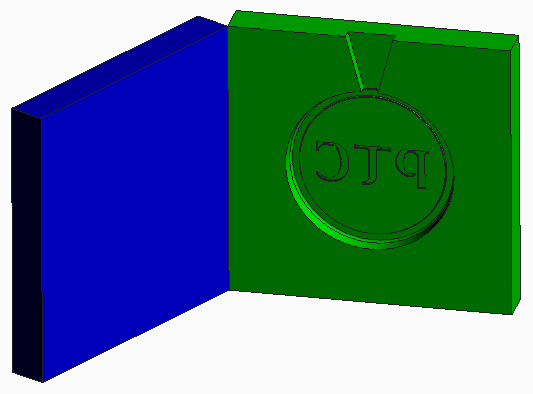
    Mould_transparent.png Finished Mould.png

The attached document explains how to do this.

    16 replies

    1-Visitor
    December 9, 2013

    Hi Tim

    perfect timing on this one as this is the sort of thing we were thinking about trying with our pupils.

    thanks again for the lesson

    Jeremy

    sorry Tim

    just a quick question, I can't seem to find  'Component operations', where is it in the drop down?

    thanks

    Jeremy

    1-Visitor
    April 4, 2014

    where is PTC_COIN_MOULD.ASM?

    Cant get it to work even with "default_ext_ref_scope: all" and "Components permitted for external reference: all".

    Still get the error message: "The selected entity is external. It cannot be backed up"

    1-Visitor
    April 4, 2014

    Sorry for not seeing this sooner, not sure what happened to the e-mail alert.

    The Component Operations tool is in the Model ribbon > Components group. It's only available when you have an assembly open in Creo.

    1-Visitor
    April 4, 2014

    I just uploaded a Zip of the Creo models.  You shouldn't need to alter the config.pro

    1-Visitor
    April 4, 2014

    Thanx Timothy, sadly I cannot open the contents of your zip files ( "educational edition"). Im still wondering why I cant do it due to earlier described error. I tried to do it with skeleton solid models, still same error.

    1-Visitor
    April 4, 2014

    The component operations command is only available in an assembly and located in the Model > Components group in the drop-down at the bottom of the group.  Can you see the command in the menu?

    Component_ops_menu.jpg

    Which version are you using, it's possible your license doesn't include component operations.  It might be part of the advanced assembly module.

    1-Visitor
    April 4, 2014

    I do have component operations command and I do have AAX .

    Oh well..

    1-Visitor
    April 4, 2014

    So does the error message appear when you first click Component Operations?

    1-Visitor
    April 4, 2014

    No, at step two.

    thanks.

    1-Visitor
    April 4, 2014

    Try this:

    Use Component - Moulds: In assembly mode bring in and fix(or default) the first component/√/bring the component to ‘use’ and position using constraints (ensure it’s FULLY CONSTRAINED)/Component/component operations/cut out/select the component to receive the cut – the biggest part/OK/select the component doing the cutting/OK/done/done/return/hide this latter component. NB the cut out is retained on the first component so if you want to use it again in its original form ‘SAVE AS’ FIRST. (ii) you can only use parts like this ONCE!

    Regards,

    Bob

    R J Booth

    PTC CAD Trainer

    CADAM Services, 19 Green Meadow Road

    Weoley Hill, Birmingham B29 4DD

    0121 4756814

    http://communities.ptc.com/community/academic-program/schools-program?view=photoAlbum