1-Visitor
March 1, 2019
Solved

Mass in repeat region

  • March 1, 2019
  • 1 reply
  • 7743 views

Hello guys,

I would like to display the mass of the assembly components in a repeat region (BOM) on a drawing. My search brought me to the pro_mp_mass parameter which is part of the process. It seems there are two ways to access it: Either by creating a part relation like weight=pro_mp_mass and then using asm.mbr.weight in the repeat region or by directly using asm.mbr.pro_mp_mass. All in all I have three questions:


1) Does it make a difference which of the above mentioned ways I use?

2) pro_mp_mass seems to be some hidden parameter as it doesn't show up in the part parameter list. Is there a way to see these hidden parameters or do you basically have to know their names to be able to access them?

3) Is there an official solution from PTC or a step by step tutorial that describes how to properly create a "mass field" in a repeat region and get it filled? If so, does someone have a link?


Greetings
Best answer by MartinHanak

@Ramax wrote:

Hi Martin,

where do I have to create the asm_mbr_pro_mp_mass parameter? And do I have to assign a value to it? When I create it in the part, it has no effect (see attachment. I can't create it under "reported mass properties" as the plus is greyed out there). When entering the relation in the repeat region, I get an error message that asm_mbr_pro_mp_mass is an invalid symbol.


Greetings


Hi,

I am sending a couple of pictures.


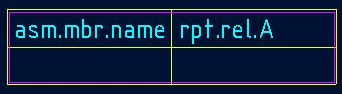
pic1 ... my repeat region containg rpt.rel.A

rpt1.png


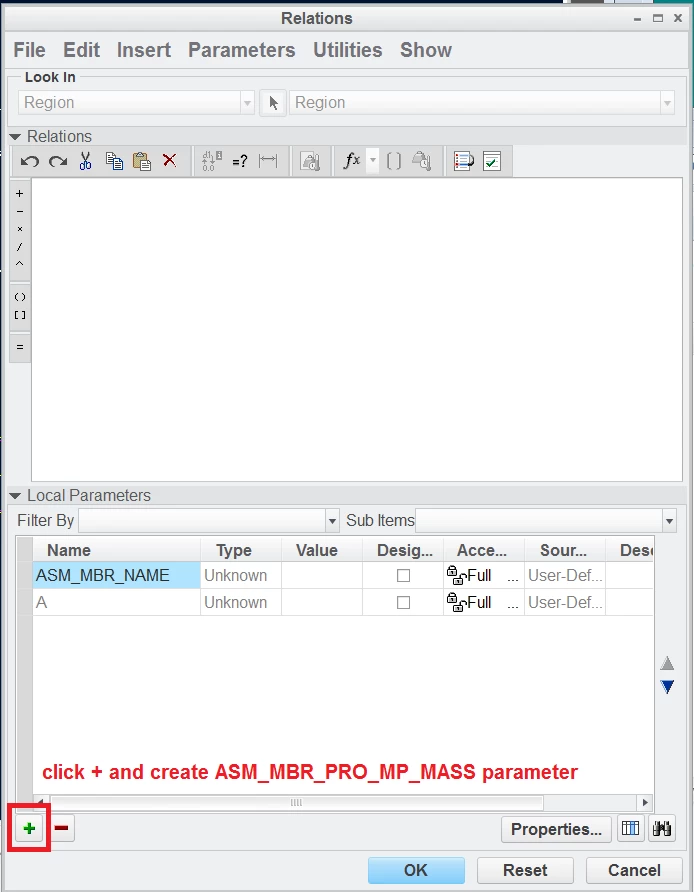
Table > Repeat Region... > Relations > select the repeat region opens following dialog box

rel1.png

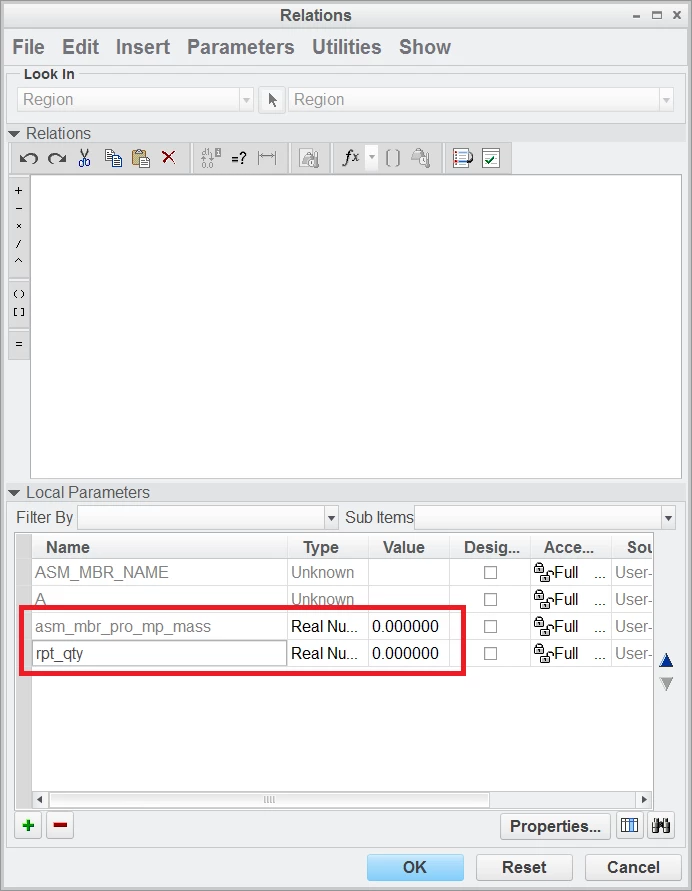
rel2.png

I had to create both parameters

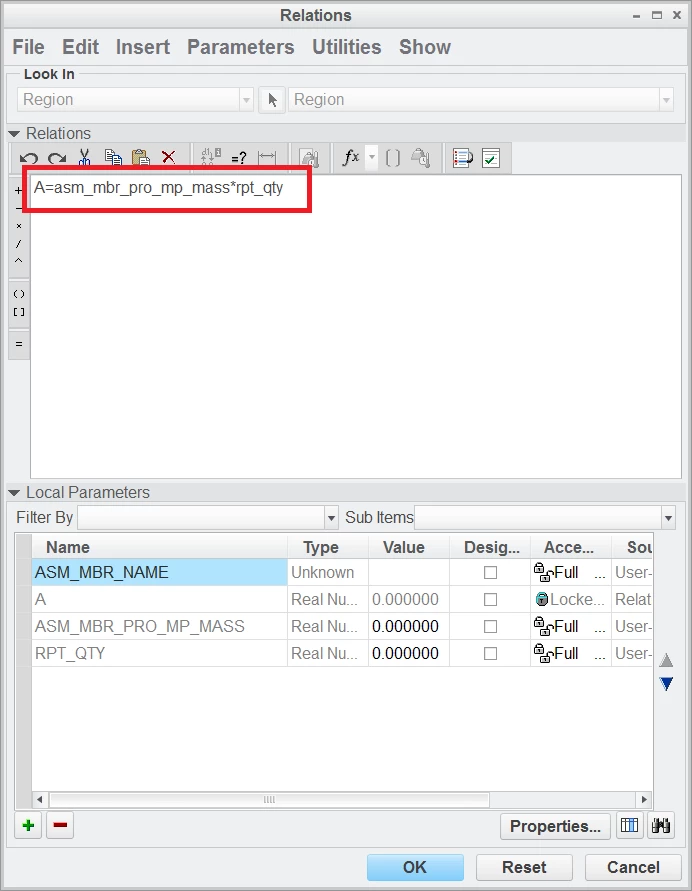
rel3.png

when parameters are available, you can add relation

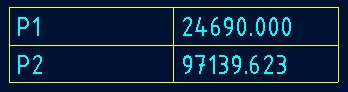
rpt2.png

result is above


1 reply

24-Ruby III
March 1, 2019

Hi,

you can see PRO_MP_MASS parameter in Parameters dialog box

mass.png

I suggest you to use asm.mbr.pro_mp_mass in repeat region.


Ramax1-VisitorAuthor
1-Visitor
March 4, 2019

Hello Martin,

I'm running out of words to thank you :). I hadn't switched to "reported mass properties", that's why I couldn't see pro_mp_mass. Reporting pro_mp_mass in the repeat region works fine, but I have one last problem to overcome: When I set "No duplicates" for the repeat region, the mass displayed for items with quantities higher than one is the mass of one piece, not the mass of all pieces combined (see attached image). Do you (or someone else) know how to change that?


Greetings


24-Ruby III
March 4, 2019

@Ramax wrote:

Hello Martin,

I'm running out of words to thank you :). I hadn't switched to "reported mass properties", that's why I couldn't see pro_mp_mass. Reporting pro_mp_mass in the repeat region works fine, but I have one last problem to overcome: When I set "No duplicates" for the repeat region, the mass displayed for items with quantities higher than one is the mass of one piece, not the mass of all pieces combined (see attached image). Do you (or someone else) know how to change that?


Greetings


Hi,

it is difficult for me to imagine what is going on in your environment. If you upload your test data (parts, assembly, drawing) I can explore them and try to find a solution.