1-Visitor
December 4, 2014
Solved

Mathcad Prime 3.0 won't re-install

  • December 4, 2014
  • 1 reply
  • 2381 views

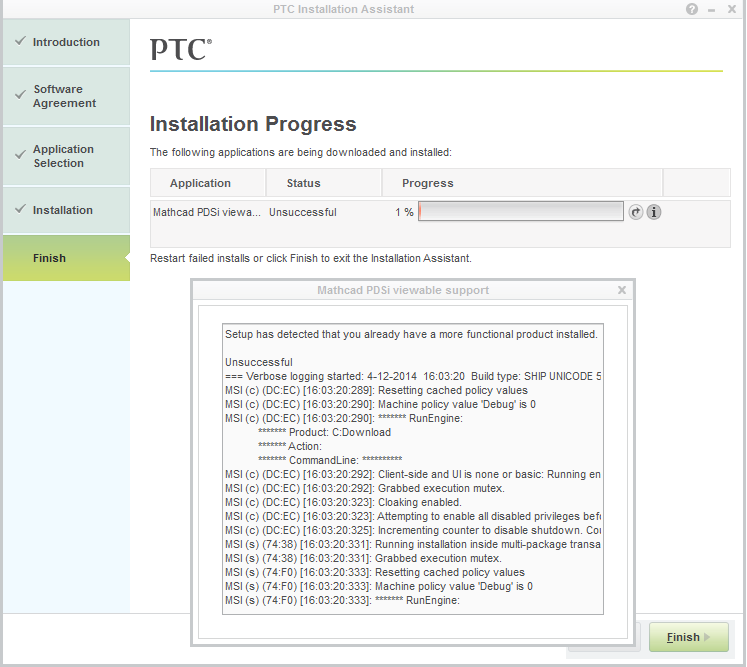
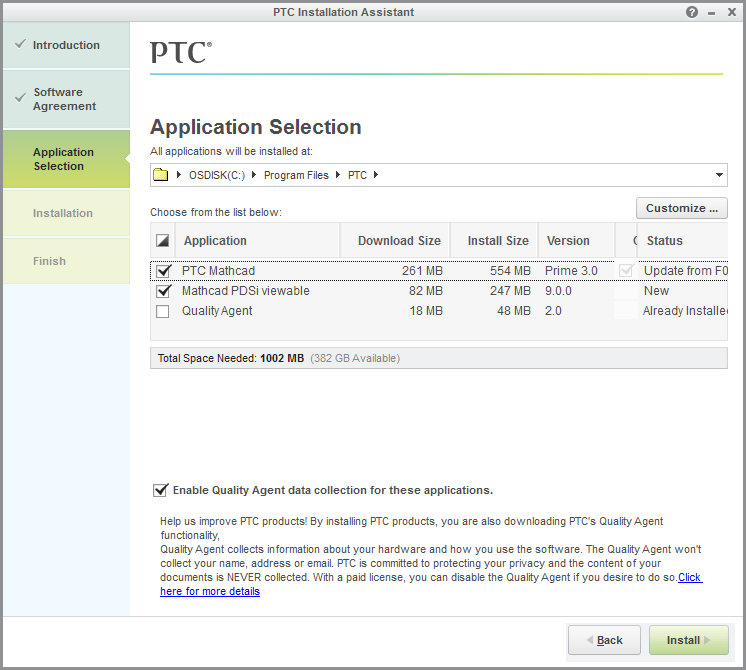
Yesterday I had Mathcad Prime 3.0 installed and running. Today I had to restore Windows 7, so I tried to install Prime again after downloading pim_installmgr_mathcad.exe again, but it won't re-install -only the quality agent. 1.png
2.png

PTC Mathcad and Mathcad PDSi viewable won't re-install.

    Best answer by heinadriaan

    Thanks!

    There was no "PTC Mathcad Prime 3.0" in the list, but the one that was in the list (PTC Quality Agent) I removed. After that I manually deleted "C:\Program Files\PTC" and "C:\Users\MyUsername\AppData\Roaming\PTC". From here I could install Prime again and it works!

    (PDSi won't install, but I guess I don't need it.)

    1 reply

    5-Regular Member
    December 4, 2014

    Hi,

    If you go to Control Panel -> Uninstall Programs, does PTC Mathcad appear in the list? If so, try uninstalling it before you reinstall.

    If that doesn't work then I would try to re-download the installer and try again. Please let me know if this does not work.

    Also, I wouldn't worry to much about Mathcad PDSi viewable support unless you know you'll be using it.

    heinadriaan1-VisitorAuthorAnswer
    1-Visitor
    December 4, 2014

    Thanks!

    There was no "PTC Mathcad Prime 3.0" in the list, but the one that was in the list (PTC Quality Agent) I removed. After that I manually deleted "C:\Program Files\PTC" and "C:\Users\MyUsername\AppData\Roaming\PTC". From here I could install Prime again and it works!

    (PDSi won't install, but I guess I don't need it.)