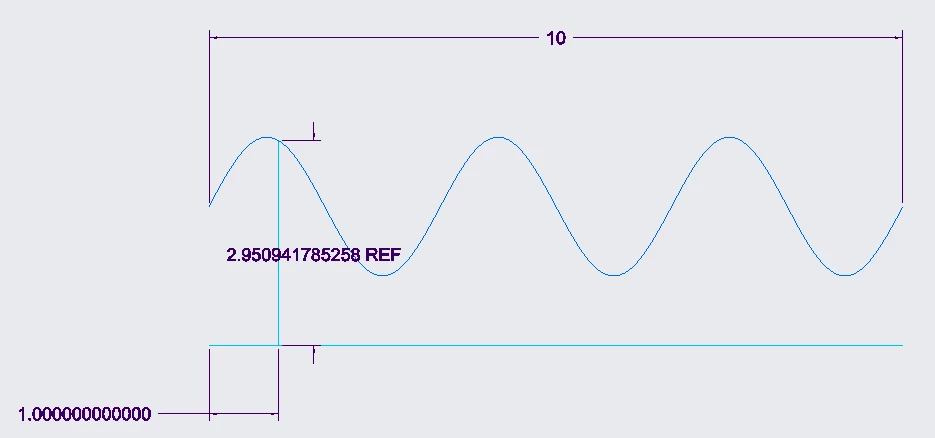
Measuring the distance between two points along the x-axis of a curve without using SKETCH
Dear experts,
Is there any way to directly use the "MEASURE" tool to calculate the distance between two points along the x-axis of a curve I drew? [i.e., without first defining two DATUM POINTS, nor first using SKETCH and draw a line between them].
Long story: I use DATUM -> curve from equation to draw "y=sin(108*x)" in the front plane, with the range being defined as "from 0 to 10". I now want to make sure the distance between the beginning of the curve and the end of the curve, along the x-axis, is 10. Therefore, I then go to the "measure" tool -> distance, choose "FRONT" plane in the projection picker, and on "add items" choose the x=0 point, and then while pressing CTRL, choose x=10. The problem is that it doesn't work! It might be that the grid CREO forms doesn't include the x=10 point, but it is really weird that in order to calculate the distance between two points along the x-axis, I have to use "SKETCH", or artificially draw additional two DATUM points.
Will be happy to hear your opinion.
Thank you!