
1-Visitor
December 16, 2013
Solved

Problem with installing Creo on Student's laptop

  • December 16, 2013
  • 2 replies
  • 1499 views

Hello,

I have one of my students who installed Creo onto his laptop, a HP Pavillion dv6 running windows 7 home premium 64 bit. Program apparently installed without any issue, though now every time he boots Creo the web page that opens when the program runs cannot be closed. See screen shot below.
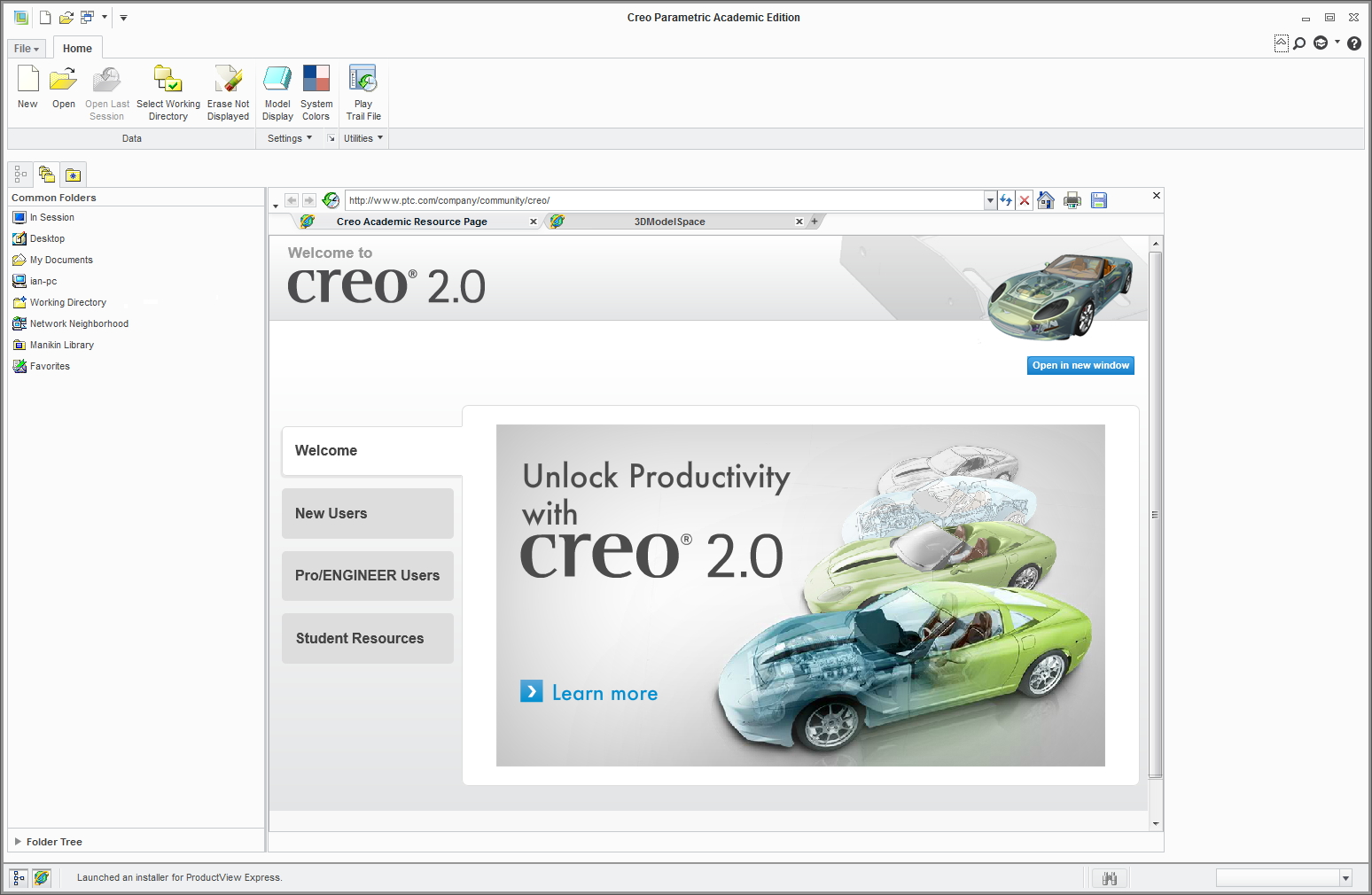
Creo+screen.jpg

Can select new and create a new part, the model tool bar opens and you can select extrude or what ever. Apparently the program is operating with the exception that the web page cannot be closed and is as a consequent hiding everything behind it.

Is there a setting we've missed? Any suggestions please?

regards

Ian

    Best answer by ChrisCarr

    Hi Ian,

    This is a fairly common graphics problem. I would recommend updating your graphics card from the manufacturer's website. If that doesn't solve the issue, you can follow the steps in the guide below to change your graphics settings:

    http://apps.ptc.com/schools/references/support_creo2_graphics.pdf

    Regards,

    Chris

    2 replies

    1-Visitor
    December 16, 2013

    Hi Ian, welcome to PTC Community!

    I've moved this discussion into our community, where one of our knowledgeable team members will be happy to help.

    ChrisCarr1-VisitorAnswer
    1-Visitor
    December 16, 2013

    Hi Ian,

    This is a fairly common graphics problem. I would recommend updating your graphics card from the manufacturer's website. If that doesn't solve the issue, you can follow the steps in the guide below to change your graphics settings:

    http://apps.ptc.com/schools/references/support_creo2_graphics.pdf

    Regards,

    Chris

    ichalson1-VisitorAuthor
    1-Visitor
    December 17, 2013

    Chris,

    many thanx for the info, updating the drivers did the trick, will keep the other info though - bound to be more students with install issues. Thanx again

    regards

    Ian