

1-Visitor
October 23, 2021
Question

Problems after the instalation Creo 3.0. Parametric

  • October 23, 2021
  • 2 replies
  • 927 views

Hello!

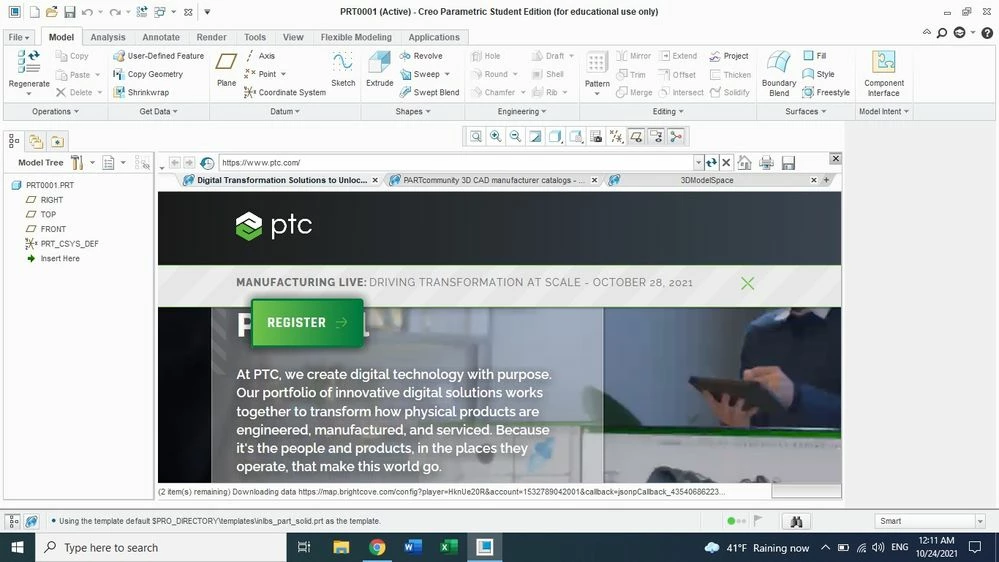
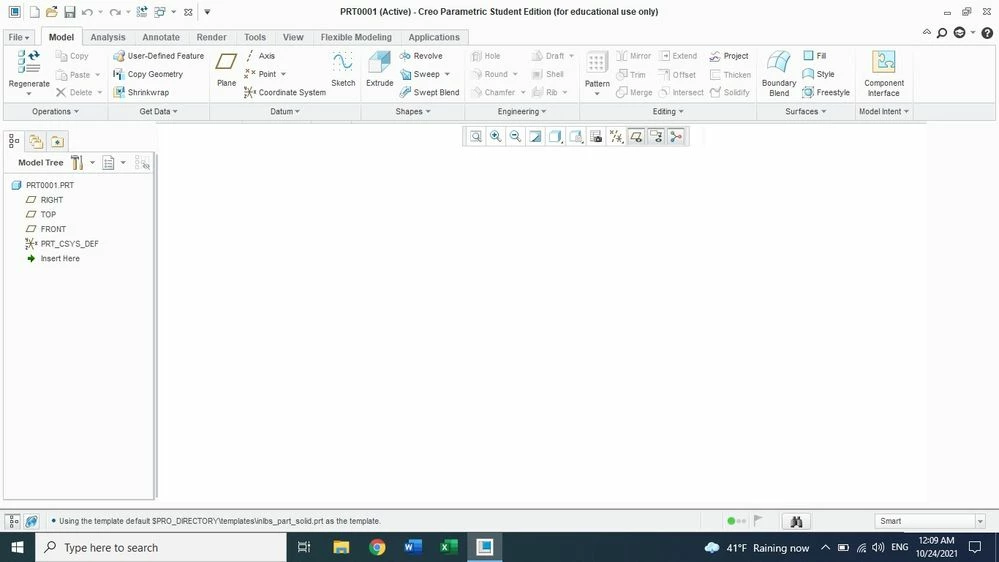
I installed Creo 3.0. After opening Creo Parametric a web window appears that I can't close, as seen in the first attached image. Also, after creating a new part, the plans do not appear (image 2).

What I supposed to do in this case? 


Thank you !
 

WhatsApp Image 2021-10-24 at 00.11.50.jpegWhatsApp Image 2021-10-24 at 00.11.29.jpeg

2 replies

24-Ruby III
October 24, 2021

1. To disable embedded browser from showing at start up:

  • "File > Options > Window Settings > Expand the browser during startup"

2. Try this one to show datum planes:

  • Change to Layer Tree from Model Tree,
  • Unhide related layer from layer list.
24-Ruby III
October 25, 2021

@CD_10092461 wrote:

Hello!

I installed Creo 3.0. After opening Creo Parametric a web window appears that I can't close, as seen in the first attached image. Also, after creating a new part, the plans do not appear (image 2).

What I supposed to do in this case? 


Thank you !
 

WhatsApp Image 2021-10-24 at 00.11.50.jpegWhatsApp Image 2021-10-24 at 00.11.29.jpeg


Hi,

the problem can be caused by graphic card drivers. To test this idea, please add following option at the end of config.pro file (temporarily) and restart Creo.

graphics  win32_gdi