

1-Visitor
October 10, 2020
Solved

PTC Creo 7.0 - Student Edition

  • October 10, 2020
  • 1 reply
  • 12754 views

Hello,

I am currently installing the PTC Creo 7.0 - Student Edition. I'm following the Quick installation guide.

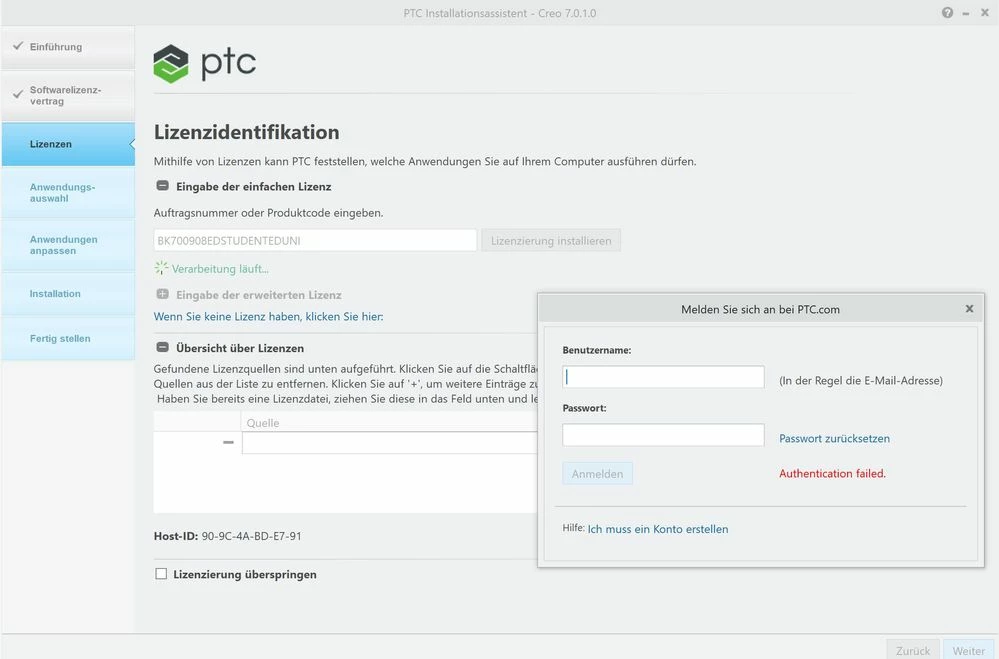
I am entering the simple licence code "BK700908EDSTUDENTEDUNI" as indicated and click "Install license". Now I am asked to enter my username and password. At this point the installation program always gives me the error "Authentification failed". The username and password are entered correctly!

Can anyone help me at this point?

Cheers1.JPG
Best answer by Alex_Cazacu

Hello,


I've sent you a private message with the reset password. I'd assume that there is some error in the password of your account (not generated by you).


Thanks,

Alex

1 reply

24-Ruby III
October 11, 2020

@OB_9667600 wrote:

Hello,

I am currently installing the PTC Creo 7.0 - Student Edition. I'm following the Quick installation guide.

I am entering the simple licence code "BK700908EDSTUDENTEDUNI" as indicated and click "Install license". Now I am asked to enter my username and password. At this point the installation program always gives me the error "Authentification failed". The username and password are entered correctly!

Can anyone help me at this point?

Cheers1.JPG


Hi,

type username and password into Notepad (to be sure that the y are correct) and then copy&paste them into login window.

1-Visitor
October 11, 2020

Hi,

thanks for the answer, but unfortunately it doesn't work. Same error as before.

My username and password are entered correctly.


24-Ruby III
October 11, 2020

@OB_9667600 wrote:

Hi,

thanks for the answer, but unfortunately it doesn't work. Same error as before.

My username and password are entered correctly.


Hi,

maybe you can try installing in English environment:

  • open Command prompt window
  • enter command ...  set LANG=english
  • enter command ... your_directory_path\setup.exe
  • now you can see English installer (I hoppe)