
1-Visitor
August 22, 2016
Solved

PTC Creo fails to retrieve license
  • August 22, 2016
  • 2 replies
  • 2798 views

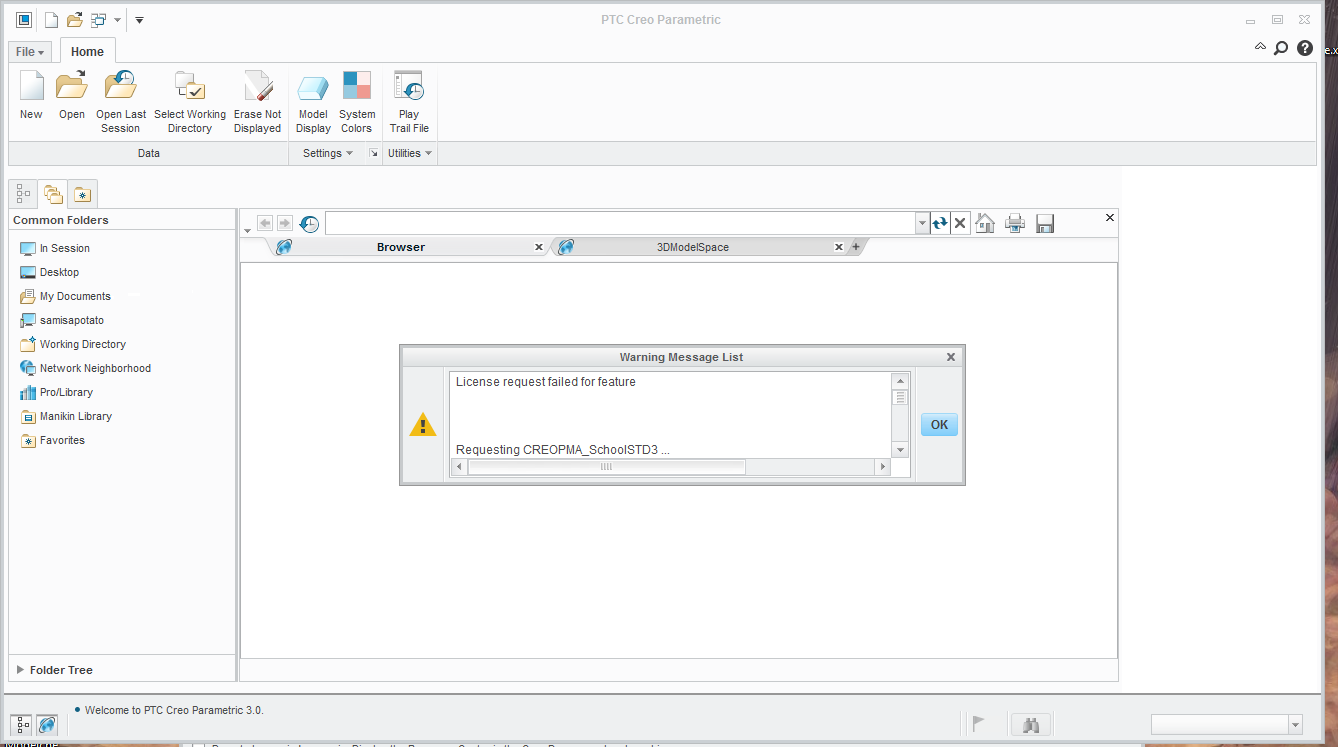
InstallError.PNG

I was installing PTC Creo Student Edition from the following link Creo K-12 Download | PTC

and I just finished extracting and configuring PTC. But now, it says that my License request

failed for feature whenever I try to open Parametric. To my understanding this doesn't mean

that my license has expired, but that it couldn't connect to PTC online to retrieve it.

Could anyone give a suggestion about what to do from this point?

    Best answer by sliu-7

    I finally found the solution.

    Apparently I need to completley delete the PTC licenses all the way from Program Data. Program Data is a secret folder you can find under C drive. Once you get to Program Data, go to PTC and delete the old licenses, then install PTC again so you can recieve the new licenses.

    Sorry for not updating or replying to this thread.

    2 replies

    24-Ruby III
    August 22, 2016

    Hi,

    please enlarge Warning Message window to display the whole message and publish its picture -OR- publish the contents of std.out file located in Creo startup directory.

    MH

    sliu-71-VisitorAuthorAnswer
    1-Visitor
    September 11, 2016

    I finally found the solution.

    Apparently I need to completley delete the PTC licenses all the way from Program Data. Program Data is a secret folder you can find under C drive. Once you get to Program Data, go to PTC and delete the old licenses, then install PTC again so you can recieve the new licenses.

    Sorry for not updating or replying to this thread.