1-Visitor
September 18, 2017
Solved

Random value output using Postman

  • September 18, 2017
  • 1 reply
  • 8037 views

         Hi, I am trying to generate an output as a random number using Postman and I want to PUT this output value onto thing as a thing property value but

As in the official Mars Rover example used in the academic course, to change the 'WindSpeed' property using postman, the following syntax was used:

{

"WindSpeed" : "88"

}

But now I want to pass on the value of the "WindSpeed" in an automated manner (something like using the random value function) so that I don't have to manually change it every time,

Unfortunately, I am not able to do so as I have trying ways available online including setting global variables etc. etc. but it is always giving an error of 'BAD STRING' or that the JSON content does not have 'ValidProperties' etc. I think that maybe my syntax is wrong. Could someone please guide me as to how we can generate random values in postman(syntax etc.) and PUT it onto the thing so that it updates itself.


Thanks!
Best answer by ytella

Hi Tushar Yadav,

Please try the below alternative method to set a random number for a property:

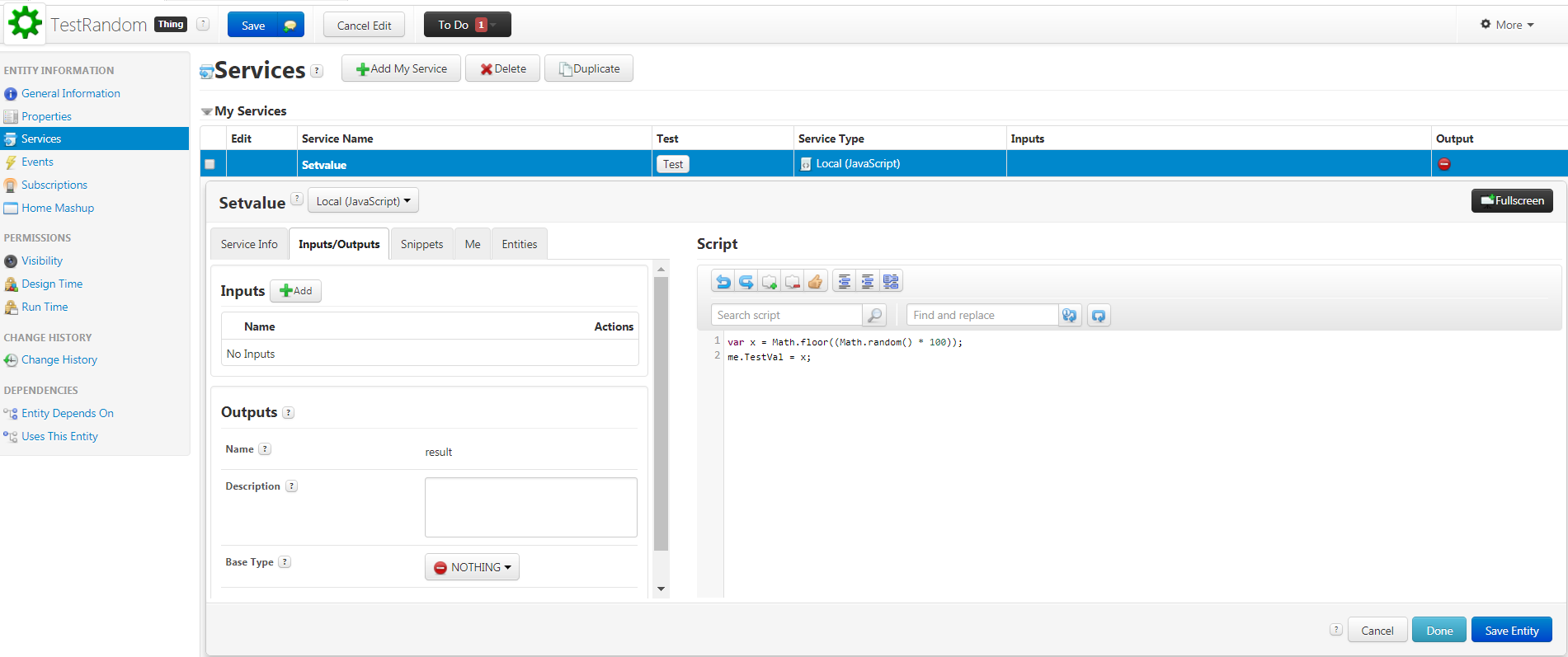
  • Create a service to set the random value for a property as shown below:


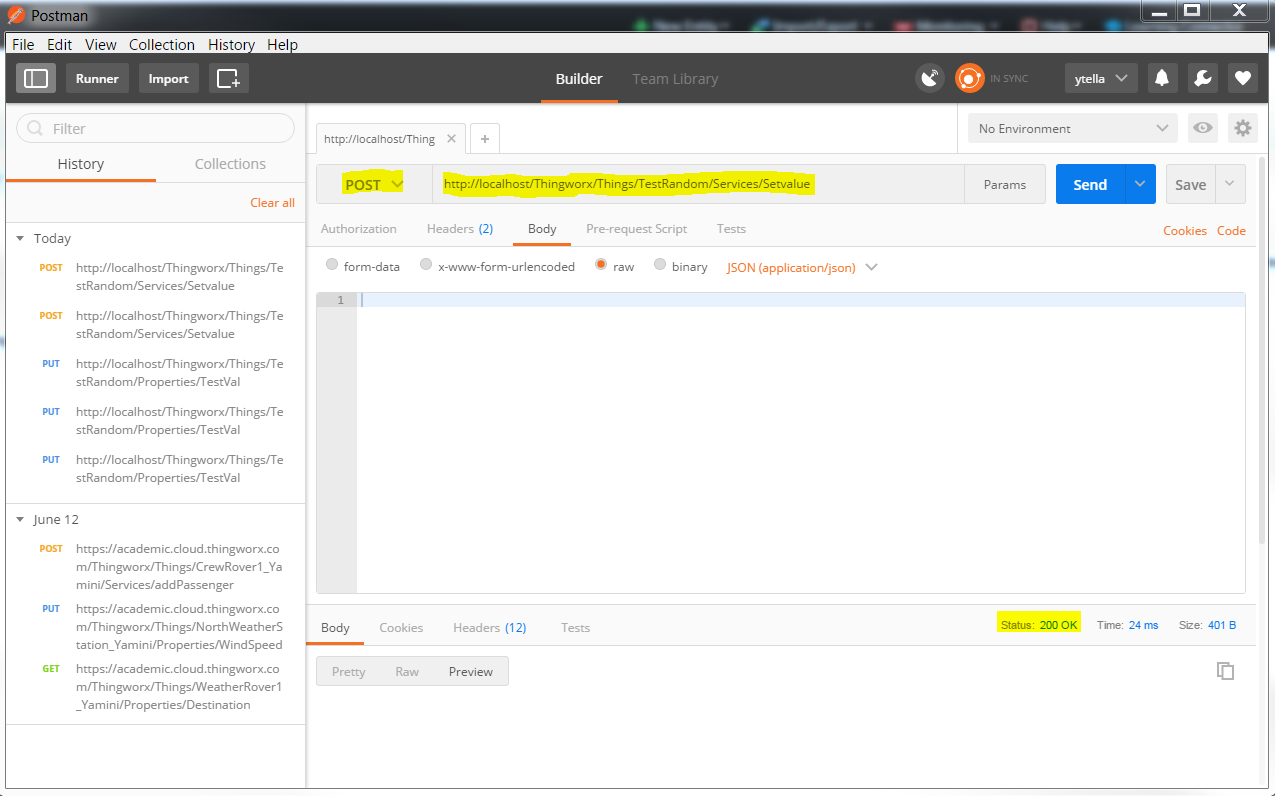
  • If you see the HTTP status code as 200 then the request is successful.
  • To verify if the random value is assigned to the property, Open ThingWorx composer, click on the Thing-->Properties-->Refresh value


1 reply

17-Peridot
September 18, 2017

Hi Tushar Yadav,

Have you tried the below format?

var x = Math.floor((Math.random() * 100));

WindSpeed : x


tyadav1-VisitorAuthor
1-Visitor
September 18, 2017

Hi Yamini,

Yes, I did try it like this but it shows error. I am attaching the screenshot for your reference.

postman_1.png

ytella17-PeridotAnswer
17-Peridot
September 21, 2017

Hi Tushar Yadav,

Please try the below alternative method to set a random number for a property:

  • Create a service to set the random value for a property as shown below:


  • If you see the HTTP status code as 200 then the request is successful.
  • To verify if the random value is assigned to the property, Open ThingWorx composer, click on the Thing-->Properties-->Refresh value