Reports - How to use decimal '.' instead ',' for real numbers
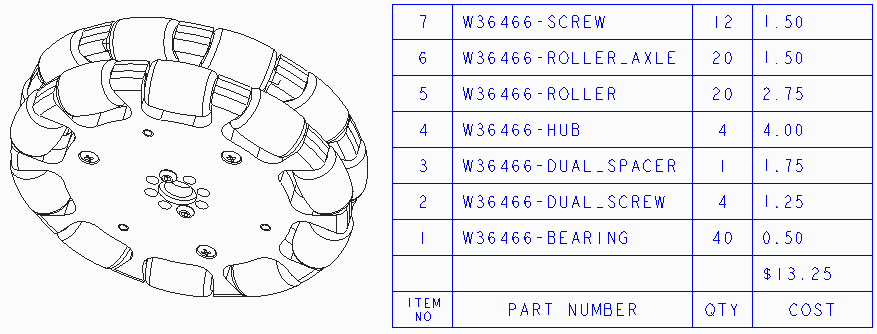
We are using Creo to create our Bill Of Materials. We have modified every part and added, Price, Supplier, Rule (FTC Game Rule Allowing The Part), and Description parameters. Then in a drawing, we create the table. This works really cool. As we add parts to the robot, the BOM is automatically updated and it includes the game rules for using the part. It also provides a total cost to the robot. But the number show up as 13,050 and not 13.050. I know this the "European Style". Where can change it so that it is decimal? We just used a Blank A drawing for the drawing template. We do use the metric template as our default template for the robot assembly.
Also while on topic, can we have it to two decimal places than 3 so it show 13.05 instead of 13.050.