


Question
Simple License Entry Greyed out / License Failed
Problem Outline:
These two problems are characterized by the user being unable to succesfully input their product code into "Simple License Entry" box. It can appear as one of two possible errors...
- The "Simple License Entry" field is greyed out and the user cannot input text in the box. A screenshot of this error is shown below.
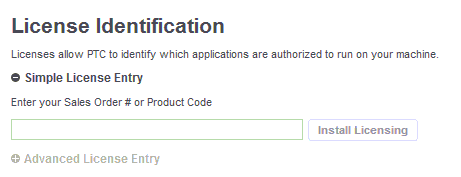
- After inputting the product code and clicking "Install Licensing" the user receives a red "License Failed!" error message.
Solution:
Both of these errors are caused because something is interferring with your ability to contact our licensing servers. This could be because of an anti-virus, admin permissions, firewall, or network issue. The guide linked below will walk you through the process of generating a license file manually and installing PTC Creo 2.0 without using the "Simple License Entry".