4-Participant
February 9, 2024
Solved

Solidify problem
  • February 9, 2024
  • 1 reply
  • 1040 views

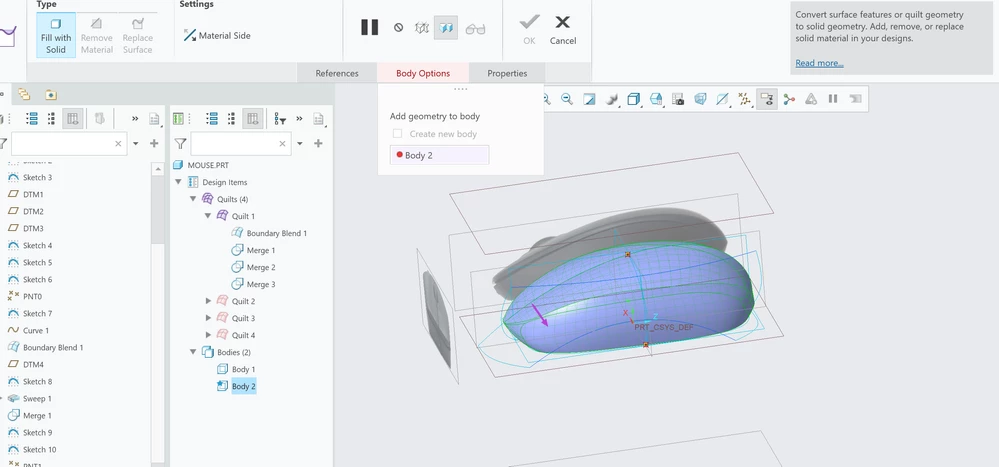
Screenshot 2024-02-09 alle 10.34.04.pngwhen I go to solidify the object, it tells me that the body is without geometry, how can I solve this problem?

Best answer by MartinHanak

Hi,

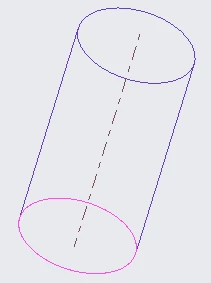
quilt selected as reference of Solidify feature must be closed. This means all its edges must be two-sided and there must be no gap in the geometry. If you display geometry No hidden mode then all edges must be dark violet. If you can see pink edge, then geometry is not closed. See following picture.

MartinHanak_0-1707480799583.png

Solution: Use Merge feature to close gaps and create closed volume. Then apply Solidify.

1 reply

24-Ruby III
February 9, 2024

Hi,

quilt selected as reference of Solidify feature must be closed. This means all its edges must be two-sided and there must be no gap in the geometry. If you display geometry No hidden mode then all edges must be dark violet. If you can see pink edge, then geometry is not closed. See following picture.

MartinHanak_0-1707480799583.png

Solution: Use Merge feature to close gaps and create closed volume. Then apply Solidify.