Question
Unable to Install Creo using Creo Trial Player Installer
Issue:
Unable to Install Creo using Creo Trial Player Installer
Reasons/Causes: -
- Windows firewall blocking Creo Trial Player installer
Solutions: -
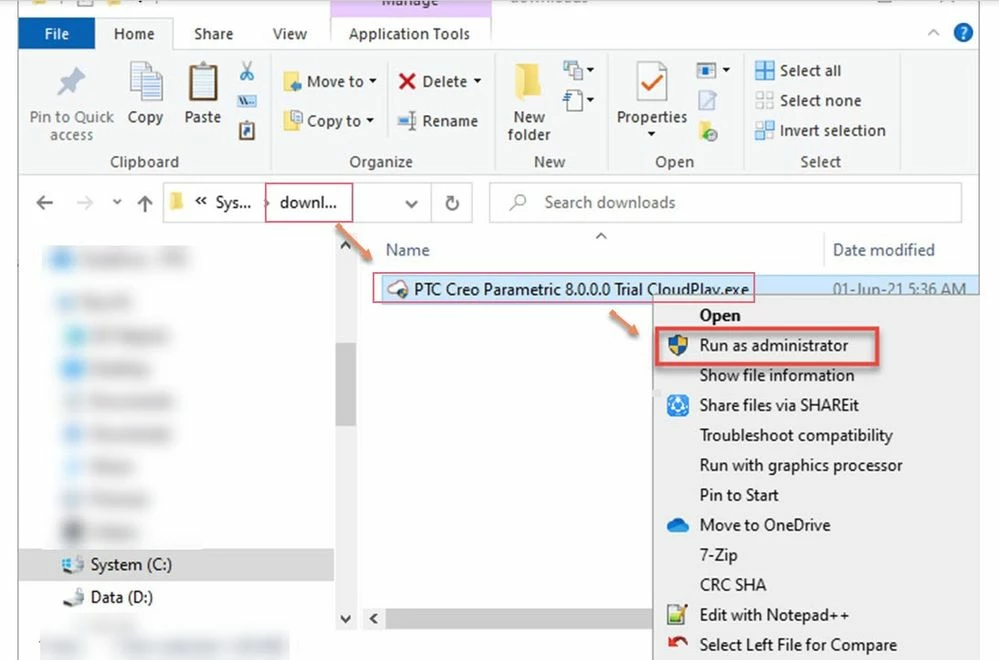
- Disable windows firewall temporarily and then Install the application using Administrative Privileges.
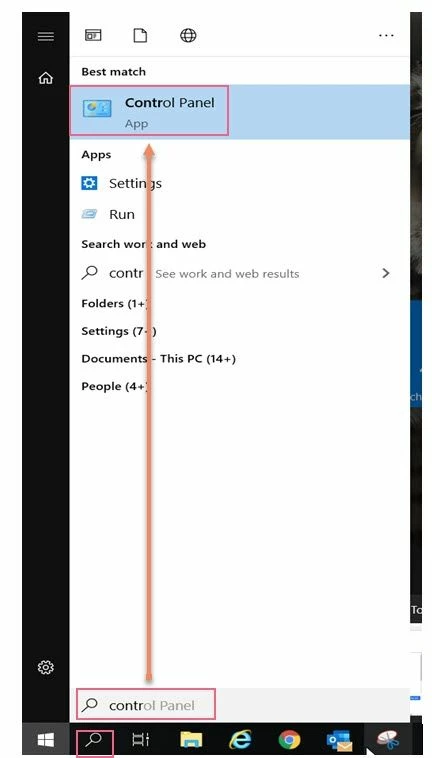
- Click on Start > Type in Control Panel
- Select System and Security (View by Category)
- Choose Windows Firewall (View by Small Icons)
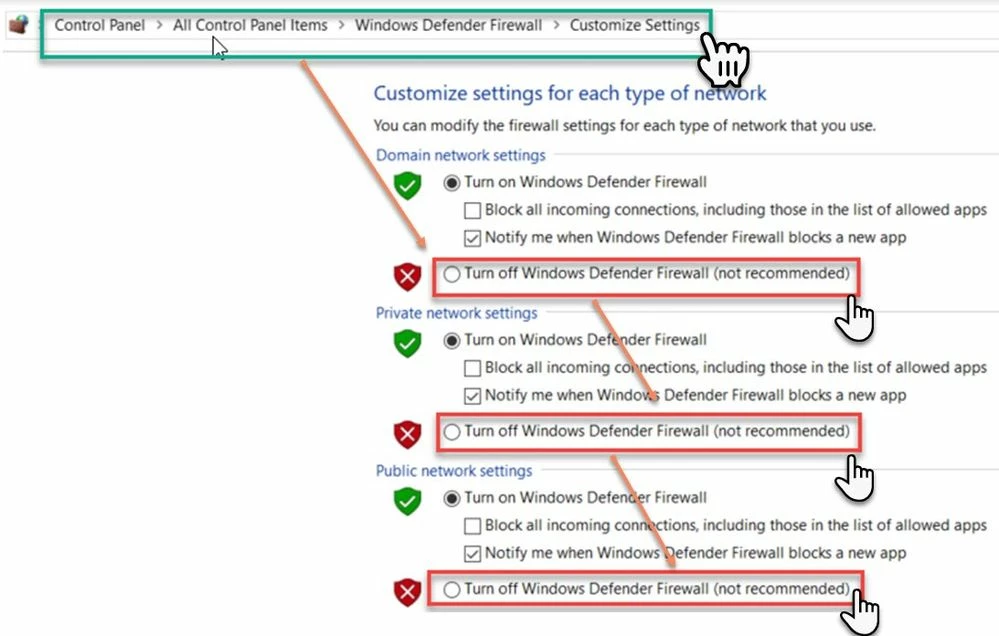
- Select Turn Windows Firewall on or off on the left side of the screen
- Select the bubble next to Turn off Windows Firewall (not recommended)
- Select OK to save the changes
- Right Mouse Button on “PTC Creo Parametric 8.0.0.0 Trial CloudPlay.exe” and Run as Administrator