
1-Visitor
April 4, 2016
Solved

Using bitmap renders & logos in Creo drawing files

  • April 4, 2016
  • 2 replies
  • 5575 views

In Creo2 I had embedded the school logo and used rendered output to make working and presentation drawings. I can not do this  in Creo3 anyone got any pointers?

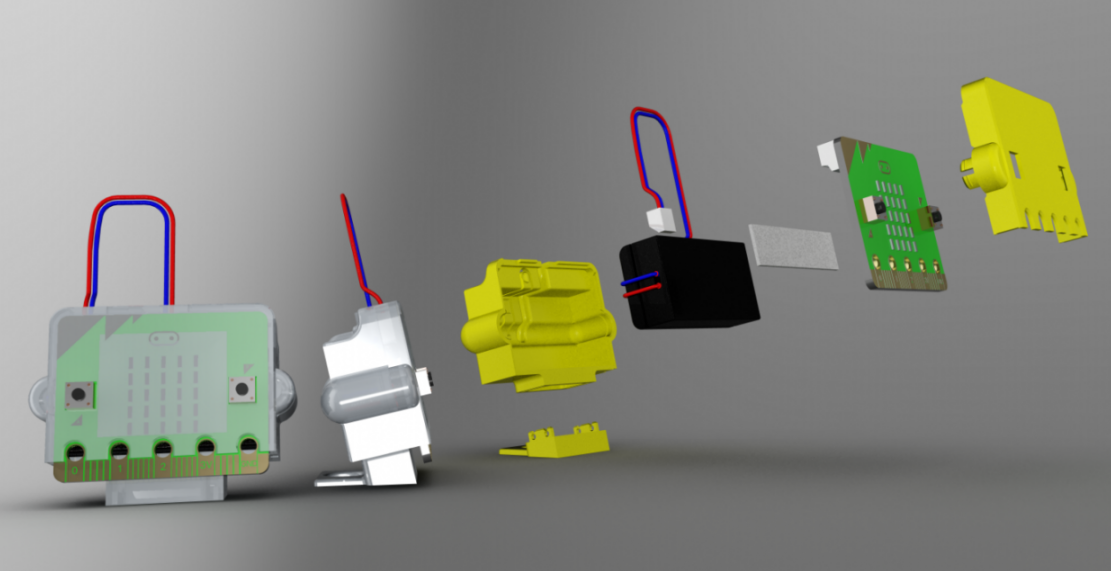
The attached file had to be exported as a  pdf and the  bitmap images added in a  3rd party programme.explode.png
    Best answer by tbrotherhood

    Hi Peter, I assume you are meaning adding decals. They work in the same way in Creo 2 and Creo 3.

    The process is:

    1. Apply an appearance to the component.
    2. Make a copy of the appearance so it can be edited.
    3. Edit the copy, specifying which image you want to use for the decal. If you want the backgound to show through it has to be PNG with alpha channel/transparent background.
    4. Apply the deal appearance to the surface you want the image to appear on.
    5. Edit the applied appearance changing the scale, rotation, repeat, etc.
    6. Make sure you save the new appearances file otherwise the new appearance wont be available next time you open Creo.

    Attached a 'How to' guide on decals if that helps.

    Cheers

    Tim

    2 replies

    12-Amethyst
    April 4, 2016

    Hi Peter, I assume you are meaning adding decals. They work in the same way in Creo 2 and Creo 3.

    The process is:

    1. Apply an appearance to the component.
    2. Make a copy of the appearance so it can be edited.
    3. Edit the copy, specifying which image you want to use for the decal. If you want the backgound to show through it has to be PNG with alpha channel/transparent background.
    4. Apply the deal appearance to the surface you want the image to appear on.
    5. Edit the applied appearance changing the scale, rotation, repeat, etc.
    6. Make sure you save the new appearances file otherwise the new appearance wont be available next time you open Creo.

    Attached a 'How to' guide on decals if that helps.

    Cheers

    Tim

    PeterSach1-VisitorAuthor
    1-Visitor
    April 4, 2016

    Hi Tim,

    I've been having problems embedding bit map images within a Creo drawing.  The attached file shows what i wanted- Its a quick "essay" on developing a 3D printed case for the MicroBit-  I wanted to use  one of  the rendered images within Creo.  I ended up exporting the drawing as a pdf and then adding the bitmap images in illustrator

    1-Visitor
    April 5, 2016

    The usual method is via embedding OLE objects and that means having a server application to generate the screen image for Creo to display. But that is enough work that just using Powerpoint or Illustrator or Dia or (?) Arbortext to combine them is more straightforward.

    12-Amethyst
    April 5, 2016

    Peter,

    It seems Creo 3.0 will only recognise BMP images.

    1. With a drawing open on screen...
    2. Layout tab > Insert > Object.
    3. Browse to the BMP file you want to use, select and click OK.
    4. Size and move the image into position.

    The image below shows a BMP of a toothed belt on the right side of the drawing.

    Let us know if it works.

    Tim

    Drawing with image inserted.bmp

    PeterSach1-VisitorAuthor
    1-Visitor
    April 6, 2016

    ‌hi Tim,

    will give this this a go. I got the school logo to show on screen but it off-ed to just a black box, even when printed from the odd!

    12-Amethyst
    April 6, 2016

    I just tried a drawing with placed image and it printed OK.  Sounds like it could be your printer driver?

    Another way I've used is to save the drawing as a PDF then print that. 

    Let us know how you get on.

    Afternoon tea with hot cross bun, can't beat it...

    20160406_132449432_iOS.jpg