11-Garnet
September 5, 2024
Solved

eSupport how do I delete accounts for inactive accounts?

  • September 5, 2024
  • 1 reply
  • 3211 views

I manage eSupport access for my users, some of which have left the company. How do I remove these accounts from the eSupport account management list?

Thanks in advance.

am.JPG

Best answer by PeterCase

Hi @tjerome , 

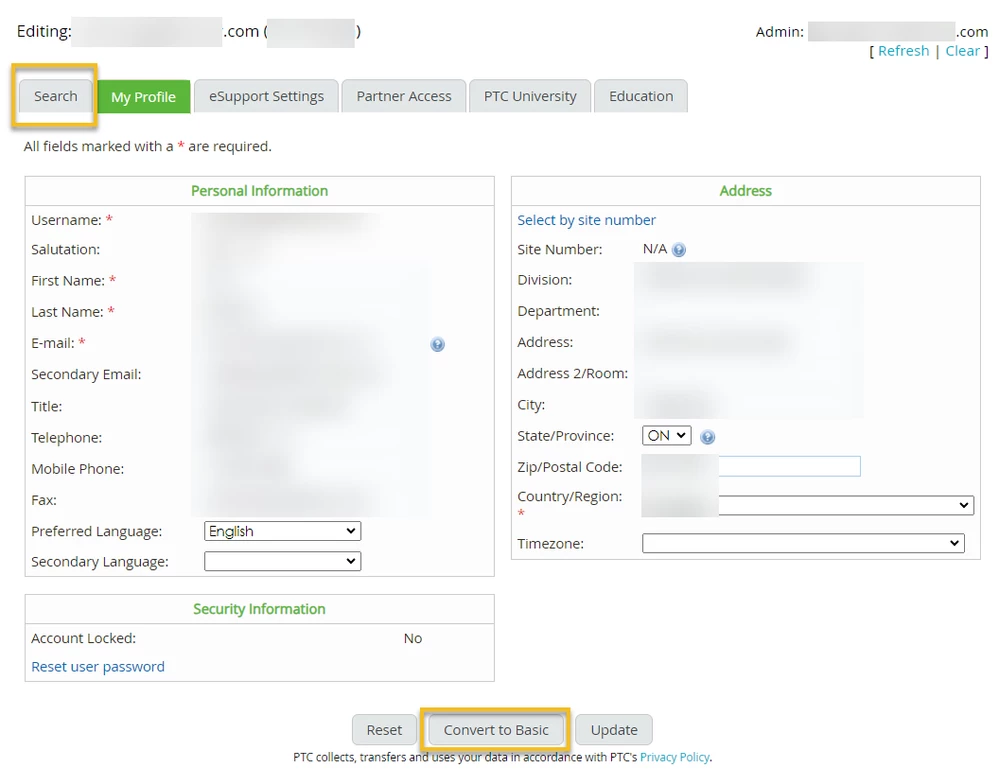
If you click on the username you would like to remove, you should see a "Convert to Basic" option at the bottom of the user details page: 
PeterCase_0-1725551824657.png

This removes the association between the user and your customer number, converting the user to a prospect account with PTC with no access to any paid services. If the user then moves to another company, they can change their details, including email address, and re-upgrade (provided they have their new company's PTC customer number and SCN|SON|Site#) . This way, they are able to retain their interactions as an individual in the PTC Community, as well as any certifications. 

Please let me know if this helps,

Peter. 


1 reply

PeterCase17-PeridotAnswer
17-Peridot
September 5, 2024

Hi @tjerome , 

If you click on the username you would like to remove, you should see a "Convert to Basic" option at the bottom of the user details page: 

PeterCase_0-1725551824657.png

This removes the association between the user and your customer number, converting the user to a prospect account with PTC with no access to any paid services. If the user then moves to another company, they can change their details, including email address, and re-upgrade (provided they have their new company's PTC customer number and SCN|SON|Site#) . This way, they are able to retain their interactions as an individual in the PTC Community, as well as any certifications. 

Please let me know if this helps,

Peter. 
 

tjerome11-GarnetAuthor
11-Garnet
September 5, 2024

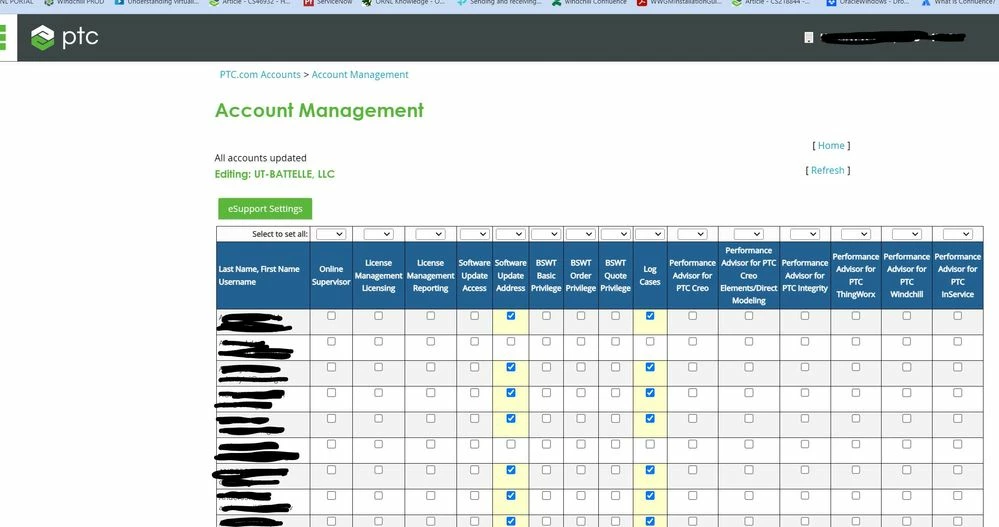
Thank you PeterCase for that suggestion, unfortunately when I click on a user, there is no other action available from that Account Management pane.

The Convert to Basic option is available however when I go into my own account and look at the settings.

23-Emerald IV
September 5, 2024

I just tried as well.  I see no way to get from the list of employes back to their specifc page where that option exists.
