
23-Emerald IV
September 27, 2018
Question

eSupport Portal Alerts

  • September 27, 2018
  • 1 reply
  • 5714 views

Is there any way to disable these alerts in the eSupport portal.  Even after closing them with the "X" the same alerts continue to come back each time the page is returned to (reloaded).
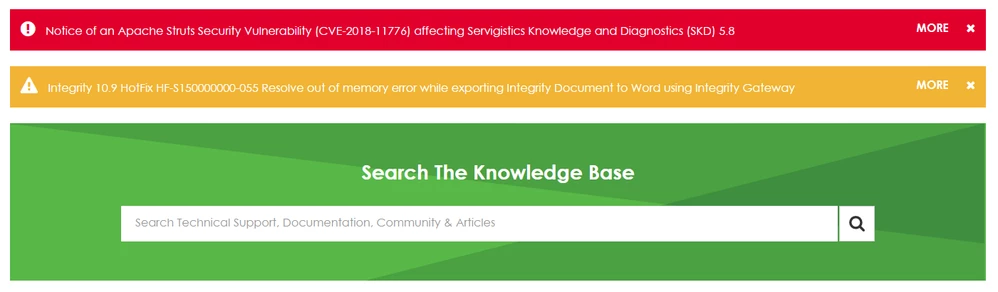
Alerts.PNG

    1 reply

    5-Regular Member
    October 3, 2018

    @TomU, each alert will be removed from the page when you click on the cross on the right. When one alert is dismised, another will be shown. The alerts that you see are dependant on the information you provided about which products you are interested in so if you selected multiple products you could see quite a few alerts. You can visit your Alert History at any time by visitng https://www.ptc.com/en/support/alerts/

    TomU23-Emerald IVAuthor
    23-Emerald IV
    October 3, 2018


    each alert will be removed from the page when you click on the cross on the right.

    @Heidi, They are removed for that moment but as soon as the support page is reloaded the same alerts come back.  They don't really go away for good until the next day.  Refreshing the page or following a link back to the eSupport home page will bring these same alerts back again.
