13-Aquamarine
October 11, 2021
Solved

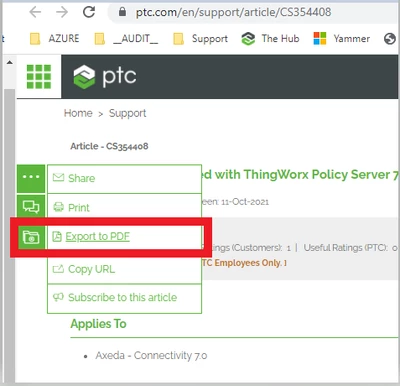
Google Chrome PDF export link does nothing. Works fine with Mozilla Firefox

  • October 11, 2021
  • 1 reply
  • 4485 views

Version 94.0.4606.71 (Official Build) (64-bit)
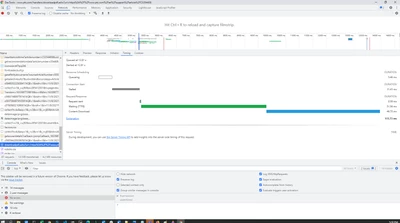
Lou_Stein_0-1633987638729.png

and seems to try to generate page 

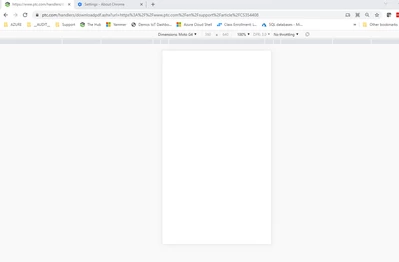
Lou_Stein_1-1633987897420.png

but only blank document is produced

Lou_Stein_2-1633987938330.png


Best answer by VladimirN

Try changing the default association - on Adobe PDF.

1 reply

24-Ruby III
October 12, 2021

Works fine for me (Google Chrome 94.0.4606.81, 32 bit) :


Pic-1.png

LouStein13-AquamarineAuthor
13-Aquamarine
October 12, 2021

Confirm that it does work when Chrome is pushed into 32bit mode by changing compatibility mode to Windows 95 and it chooses to goto Windows 8

Still someone on the support.ptc.com development should investigate why in 64bit mode why anonymous user fails to generate a good PDF output and seems to stall.

Lou_Stein_0-1634043367518.png

Lou_Stein_1-1634043668928.png


I would consider this a bug?

Unless someone wants to add a caveat to the PDF link not to Google Chrome 64bit mode because a blank PDF file will be generated.

24-Ruby III
October 14, 2021

Just tested it. On Windows 8.1 x64 and Google Chrome 94.0.4606.81 (64 bit). All works fine. What kind of PDF printers do you have in your OS? Here are mine:


Adobe PDF,
CutePDF Writer (set by default),
Foxit Phantom PDF Printer.